

What’s New
OnSpace now lets you integrate Stripe payments directly into your projects through our AI-powered setup. No complex webhooks or manual configuration required.
How It Works
Simply connect your Stripe account and describe what payment features you need. OnSpace AI generates all the necessary payment logic, components, and backend integration automatically.Requirements
Before integrating Stripe, ensure:- Your project is active in OnSpace (Select ”OnSpace Cloud“)
- A Stripe account with test mode enabled
- Clear idea of your payment flow (one-time payments, subscriptions, etc.)
Quick Setup Steps
- Describe Your Payment Needs
- Tell OnSpace AI what you want: “Add subscription tiers at $9.99/month”
- Or: “Create one-time payment for $29.99 digital product”
- Be specific about your pricing and payment flow
- AI Generates Everything
- Payment screens and components
- Stripe SDK integration
- Backend payment processing
- Success/failure handling
- Test & Deploy
- Test payments in your preview
- Deploy when ready for production
Configure Tool Permissions
You can control how OnSpace AI interacts with your Stripe account by configuring tool permissions: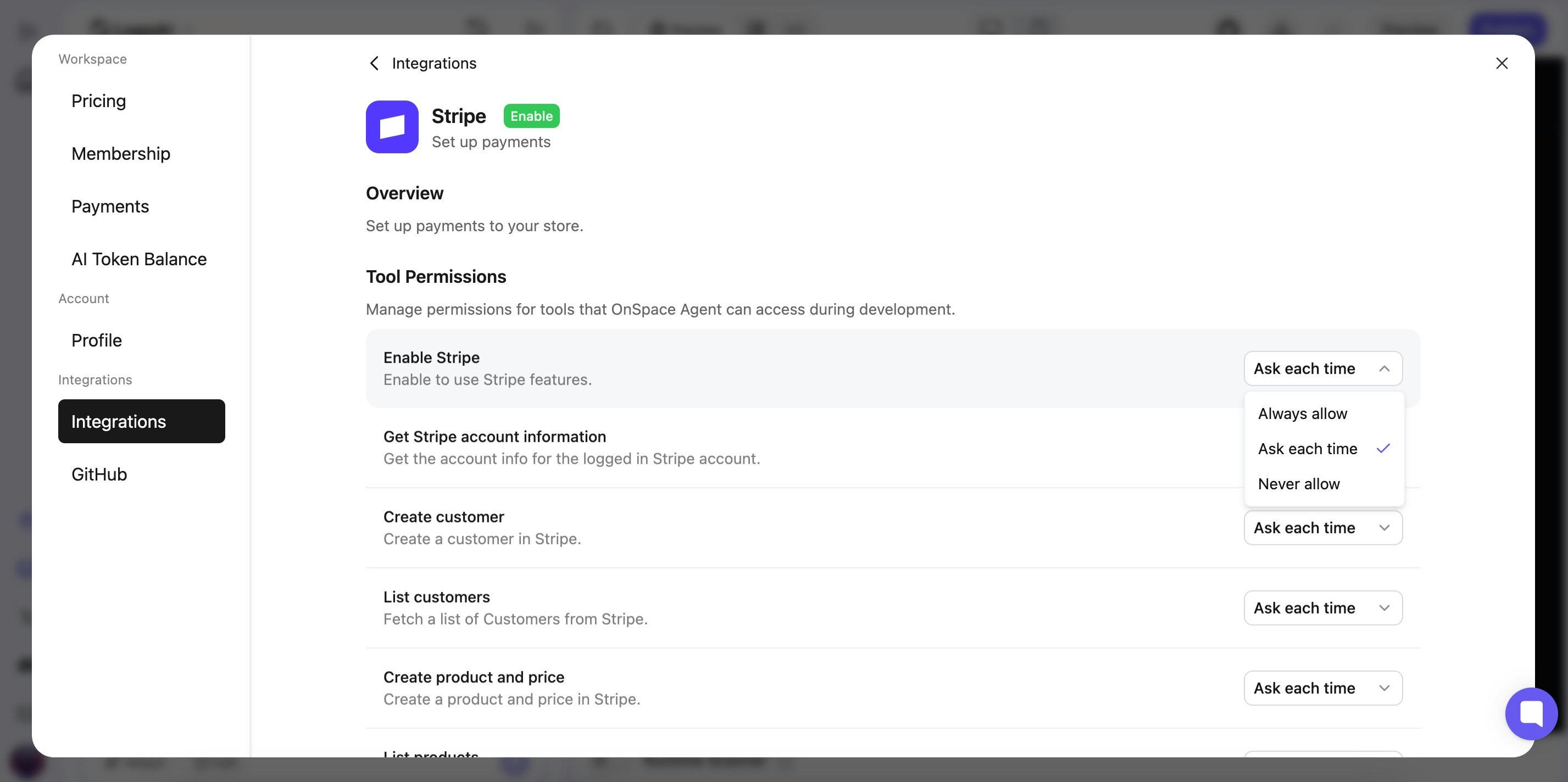
- Access Settings
- Click your profile avatar in the bottom-left corner
- Select “Settings” from the dropdown
- Navigate to “Integrations”
- Select “Stripe”
- Set Permission Levels For each Stripe operation, choose your preferred permission level:
- Ask each time - OnSpace will request permission before each action
- Always allow - OnSpace can perform actions automatically
- Never allow - Block specific Stripe operations
- Available Permissions
- Enable Stripe features
- Get Stripe account information
- Create customers
- List customers
- Create products and prices
- List products and prices
What OnSpace AI Creates
- Customer Management - Create and list customers in Stripe automatically
- Product & Pricing Setup - Generate products and prices directly in your Stripe account
- Account Integration - Get Stripe account information and enable all Stripe features
- Payment Components - Pre-built checkout flows and payment screens
- Backend Logic - Secure payment processing with proper error handling
- User Management - Links payments to user accounts seamlessly