

What is Cloud?
Cloud is OnSpace’s built-in backend service that provides a complete serverless backend solution for your React Native applications. Think of it as having a complete backend infrastructure that materializes instantly when you need it, without any of the traditional setup headaches.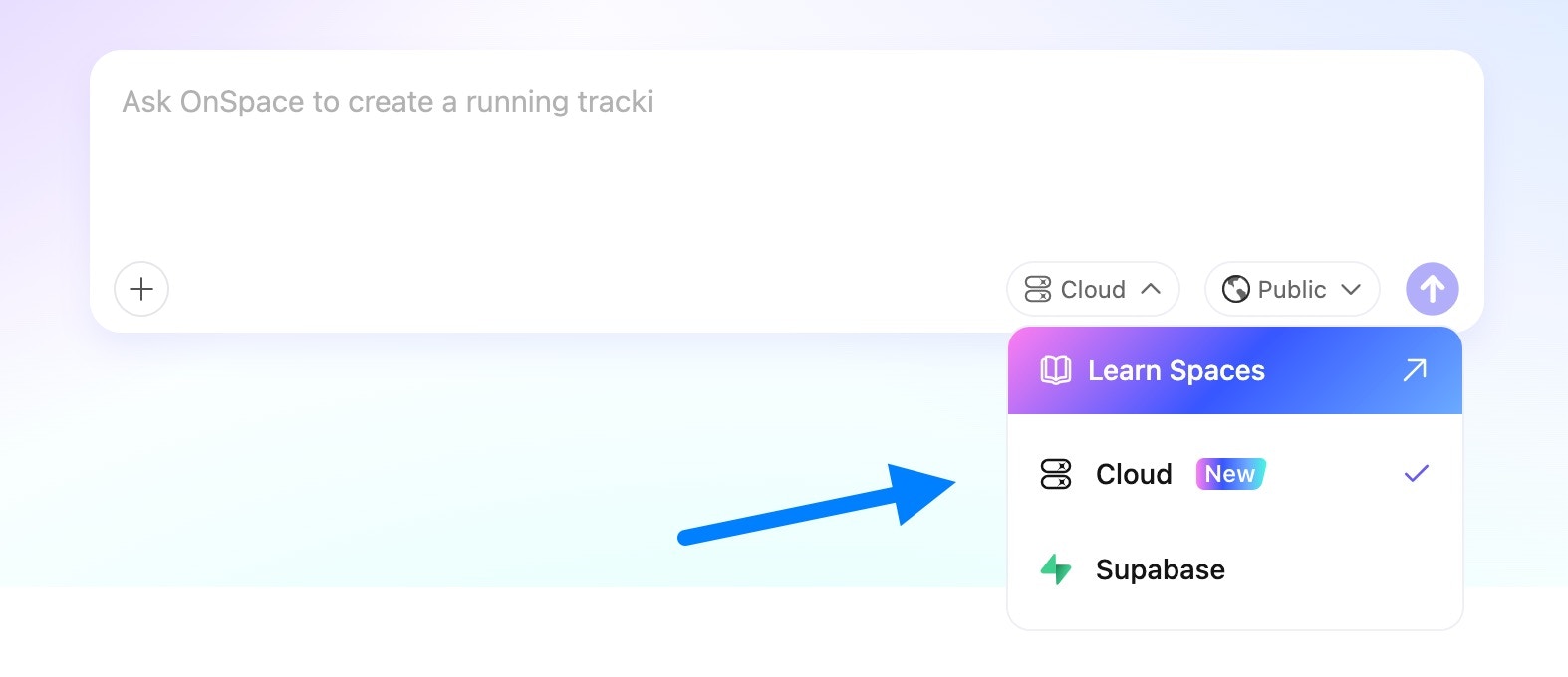
Cloud vs Other Backends
Core Features
🔐 User Authentication- OTP and password-based login
- Session management
- Social auth providers
- Third-party OAuth providers (Google, Apple, Facebook, Twitter, etc.) coming soon
- Fully managed database instance
- Row Level Security (RLS) built-in
- Real-time data sync
- Images, documents
- Automatic optimization
- Serverless API endpoints
- Custom business logic
- Data management interface
- User administration
Emails
Templates
Templates lets you customize the emails your users receive during authentication flows. What are Templates? Templates is part of the Emails section in OnSpace Cloud. It allows you to manage the email content used in common authentication scenarios, such as sign-up confirmation, password reset, magic link login, and email change verification. Instead of relying on generic system copy, you can tailor these emails to better match your product’s tone and user experience. Available Templates You can manage templates for the following authentication events:- Confirm sign up
- Invite user
- Magic link
- Change email address
- Reset password
- Reauthentication
- A new user signs up → the Confirm sign up template is used
- A user requests a password reset → the Reset password template is used
- A user chooses passwordless login → the Magic link template is used
- Keep the message short and action-oriented
- Make the next step obvious
- Use wording that matches your app
- Add a security reminder for sensitive actions
- Avoid overly promotional language in authentication emails
SMTP Settings
SMTP Settings lets you configure a custom email provider for sending authentication emails from your app. What are SMTP Settings? SMTP Settings is part of the Emails section in OnSpace Cloud. It allows you to connect your own SMTP provider so authentication emails can be sent through your preferred email service instead of relying on the default built-in mail service. This is especially useful for production apps that need more reliable delivery, better sender control, and a more professional email experience. Why use SMTP Settings? Using custom SMTP gives you more control over how your authentication emails are delivered. More reliable delivery Production apps often need a dedicated email provider to ensure emails are sent consistently and arrive on time. Better sender control You can send emails from your own domain or preferred sender address, which helps create a more professional and trustworthy user experience. Production-ready setup Custom SMTP is recommended for live apps that expect real user traffic or higher email volume. How it works Once SMTP is configured, OnSpace uses your custom email provider to send authentication emails triggered by your app. These may include emails for flows such as:- Sign-up confirmation
- Password reset
- Magic link login
- Email change verification
- Reauthentication
- You are preparing your app for production
- You want to send emails from your own domain
- You need more reliable email delivery
- You want greater control over your email infrastructure
- Use a trusted email provider
- Make sure your sender address is valid
- Use credentials created specifically for SMTP access
- Test your setup before going live
- Pair SMTP with customized email templates for a better user experience
Storage
OnSpace Storage provides a comprehensive solution for managing all your digital assets, simplifying file operations without needing to write complex code.- Storage Buckets: All your files are stored securely within dedicated project buckets. Each file gets a unique URL or reference, allowing you to easily link them within your application.
- Secure Access: OnSpace automatically generates secure URLs for your files and handles permission management, ensuring your data is protected yet accessible when needed.
- File Size Limit: Supports individual files up to 2 GB, accommodating a wide range of media and data.
- File Types: Compatible with all common file formats, including images, videos, documents, and various static assets.
- Security: Benefit from enterprise-grade encryption for data at rest and in transit, along with robust access controls to keep your files secure.
Edge Functions
OnSpace Edge Functions empower you to execute serverless logic that automatically scales with your project’s demands. Focus on building powerful features without the hassle of server provisioning or management.- Serverless Logic: Deploy custom code for your APIs, automate workflows for backend tasks, or implement advanced features, all without maintaining any servers.
- Automatic Scaling: Your functions automatically scale up or down based on traffic, ensuring optimal performance and cost efficiency, even during peak loads.
- AI-Powered Features: Integrate sophisticated AI capabilities, such as AI summaries or chatbots, leveraging OnSpace’s built-in AI.
- Communication: Automate sending emails, SMS, or push notifications to your users.
- Payment Processing: Seamlessly integrate with payment gateways like Stripe for secure and efficient transaction handling.
- Automation: Schedule and run background jobs or other automated tasks to keep your application running smoothly.
- External Integrations: Handle heavy computations, call external APIs, or process webhooks without impacting your main application’s performance.
- Easy Creation: Simply describe the function you need in the OnSpace AI chat, and we’ll help you generate the code.
- Auto-Scaling: Functions are designed to scale instantly and automatically to match your traffic, ensuring high availability and performance.
AI Services
At OnSpace, we believe AI should be a core component of modern applications. Our platform comes with integrated AI capabilities, powered by OnSpace AI, enabling you to swiftly integrate intelligent features that enhance your app’s functionality and user engagement. AI-Powered Features OnSpace AI provides out-of-the-box functionalities and tools to build custom AI solutions:- AI Image Generation & Editing: Build features that turn simple user photos into professional ID photos or headshots. Or, empower users to generate unique graphics, product mockups, and artistic visuals just by describing them in text.
- AI Video Generation: Enable users to create dynamic short-form videos from scratch. For example, build a tool that generates a compelling UGC-style video ad from a product description and a few images, complete with an AI-generated voiceover.
- Advanced AI Agents & Personas: Build specialized AI chatbots that go beyond simple Q&A. Create an AI legal assistant that drafts contracts, a virtual travel agent that plans itineraries, or a brand persona that interacts with customers in a specific voice.
Secrets Management
OnSpace Secrets Management provides a robust and secure way to handle your application’s sensitive environment variables, keeping them safe from exposure and simplifying their integration. How It Works- Centralized Secure Storage: Store critical credentials like API keys, tokens, and database passwords in a dedicated, encrypted environment. Your secrets are protected with robust encryption both when they are saved (at rest) and when they are being used (in transit).
- Intelligent On-Demand Access: When an OnSpace feature or an Edge Function in your project requires a secret, our platform automatically detects this need. It then securely prompts you via a safe user interface to provide the necessary information, ensuring you maintain control.
- Automatic & Secure Injection: Once configured, your secrets are never directly part of your codebase. Instead, OnSpace automatically and securely injects them into your Edge Functions and integrated services exactly when they are needed for execution, abstracting away sensitive details.
- Eliminate Hardcoding Risks: This entire process prevents the dangerous practice of hardcoding sensitive data into your application. It acts as a critical barrier against accidental exposure in your source code, version control, or logs.
Logs & Monitoring
OnSpace’s Logs & Monitoring features provide you with a powerful, centralized hub to observe, understand, and troubleshoot your application in real-time. Gain deep visibility into every process, from user interactions to serverless function executions. How It Works- Real-time Activity Stream: See a live feed of all application events, function calls, and user interactions as they happen.
- Error Tracking: Automatically capture and aggregate errors, providing immediate alerts and detailed contexts for quick resolution.
- Performance Insight: Monitor key metrics like function execution times, resource consumption, and API response latency to pinpoint performance bottlenecks.
- Intuitive Debugging Interface: Access detailed log messages, comprehensive stack traces, and execution payloads, making it easy to diagnose and fix issues without leaving the platform.
Why Choose Cloud?
Instant Backend Setup- Zero server configuration
- Database automatically provisioned
- Authentication working out-of-the-box
- Same APIs and SDKs as Supabase
- Full TypeScript support
- Seamlessly integrated with OnSpace AI
- Built-in dashboard for data operations
- User management interface
- Real-time performance monitoring
Learn how to use dashboard
Manage your app’s structured information through Spaces database tables and records