> ## Documentation Index
> Fetch the complete documentation index at: https://docs.onspace.ai/llms.txt
> Use this file to discover all available pages before exploring further.
# Figma to OnSpace
> Figma to full-stack app.
The Figma to OnSpace AI integration represents a revolutionary approach to transforming static designs into functional, full-stack applications. This seamless workflow eliminates the traditional gap between design and development, enabling designers to create production-ready apps without writing code.
### **Product Architecture**
```
Figma → OnSpace AI → Production App
```
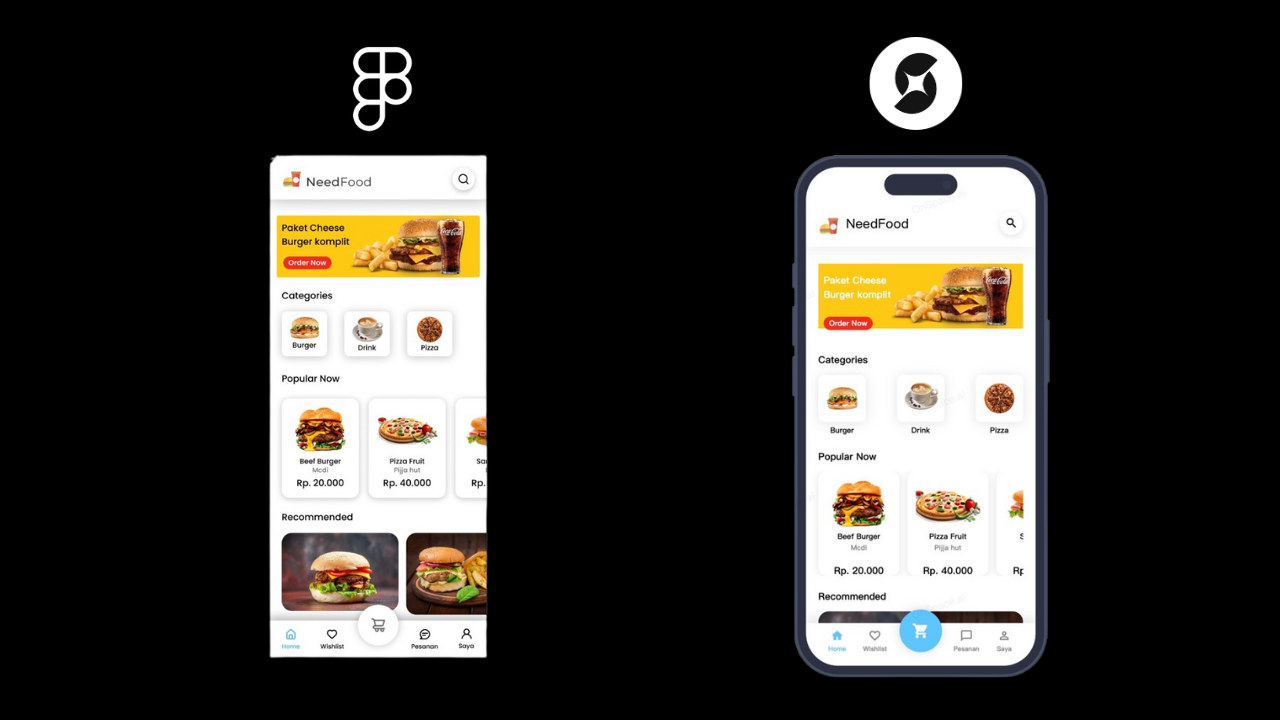 This integration chain provides:
* **Design Export**: Direct conversion from Figma to structured code
* **AI Enhancement**: Intelligent transformation of static designs into dynamic applications
* **Full-Stack Capabilities**: Backend integration, database connections, and deployment
* **Real-time Iteration**: Live preview and instant updates
## **Getting Started: From Figma to Live Application**
### **Step 1: Prepare Your Figma Project**
First, you'll need to share your Figma project publicly:
1. **Navigate to your Figma project**
This integration chain provides:
* **Design Export**: Direct conversion from Figma to structured code
* **AI Enhancement**: Intelligent transformation of static designs into dynamic applications
* **Full-Stack Capabilities**: Backend integration, database connections, and deployment
* **Real-time Iteration**: Live preview and instant updates
## **Getting Started: From Figma to Live Application**
### **Step 1: Prepare Your Figma Project**
First, you'll need to share your Figma project publicly:
1. **Navigate to your Figma project**
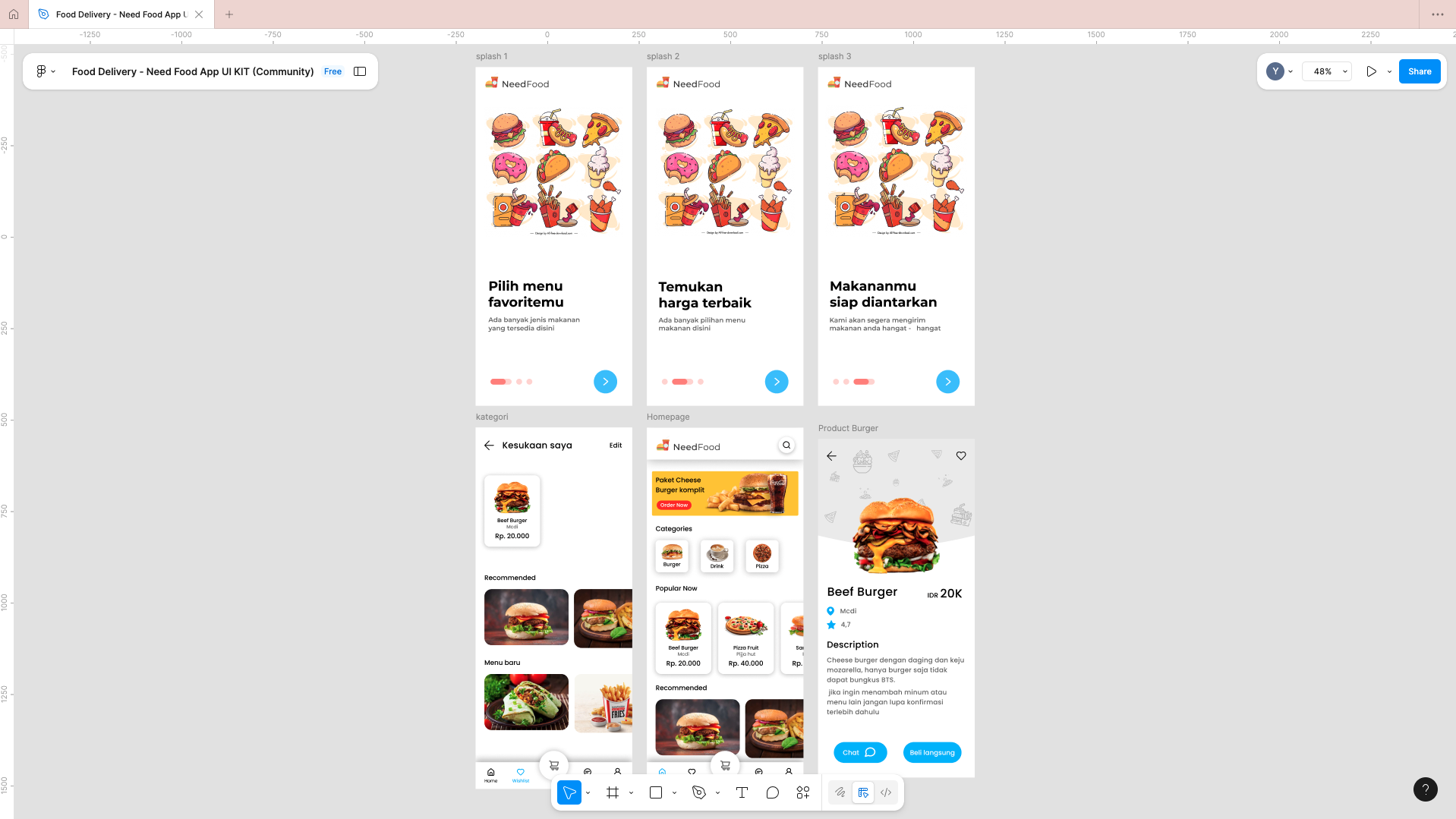 2. **Click the "Share" button** located in the top right corner of your Figma interface
3. **In the sharing popup window, click "Copy Link"** (top right of the popup)
2. **Click the "Share" button** located in the top right corner of your Figma interface
3. **In the sharing popup window, click "Copy Link"** (top right of the popup)
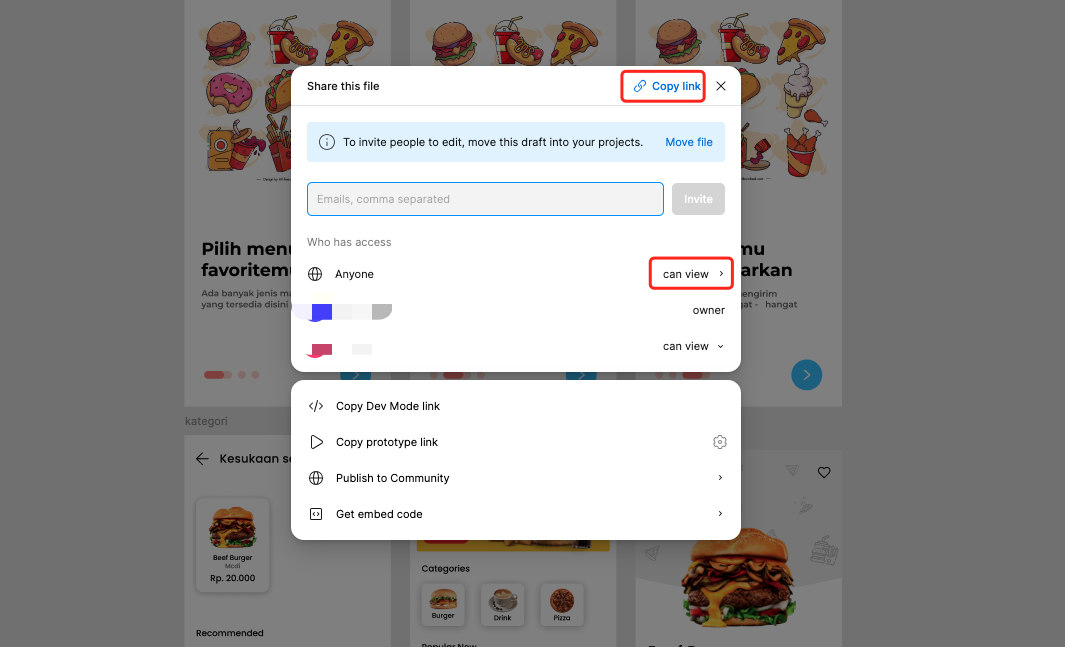 **Important**: Ensure that access permissions are set to **"Anyone can view"** - this allows OnSpace AI to access your design
### **Step 2: Access OnSpace AI**
Visit [**OnSpace.ai**](http://OnSpace.ai) and select your project type:
* **For Mobile Applications:** [Click the mobile project](https://onspace.ai/ai-app-builder)
* **For Website Projects:** [Click the website project](https://onspace.ai/ai-website-builder)
### **Step 3: Import Your Design**
**Important**: Ensure that access permissions are set to **"Anyone can view"** - this allows OnSpace AI to access your design
### **Step 2: Access OnSpace AI**
Visit [**OnSpace.ai**](http://OnSpace.ai) and select your project type:
* **For Mobile Applications:** [Click the mobile project](https://onspace.ai/ai-app-builder)
* **For Website Projects:** [Click the website project](https://onspace.ai/ai-website-builder)
### **Step 3: Import Your Design**
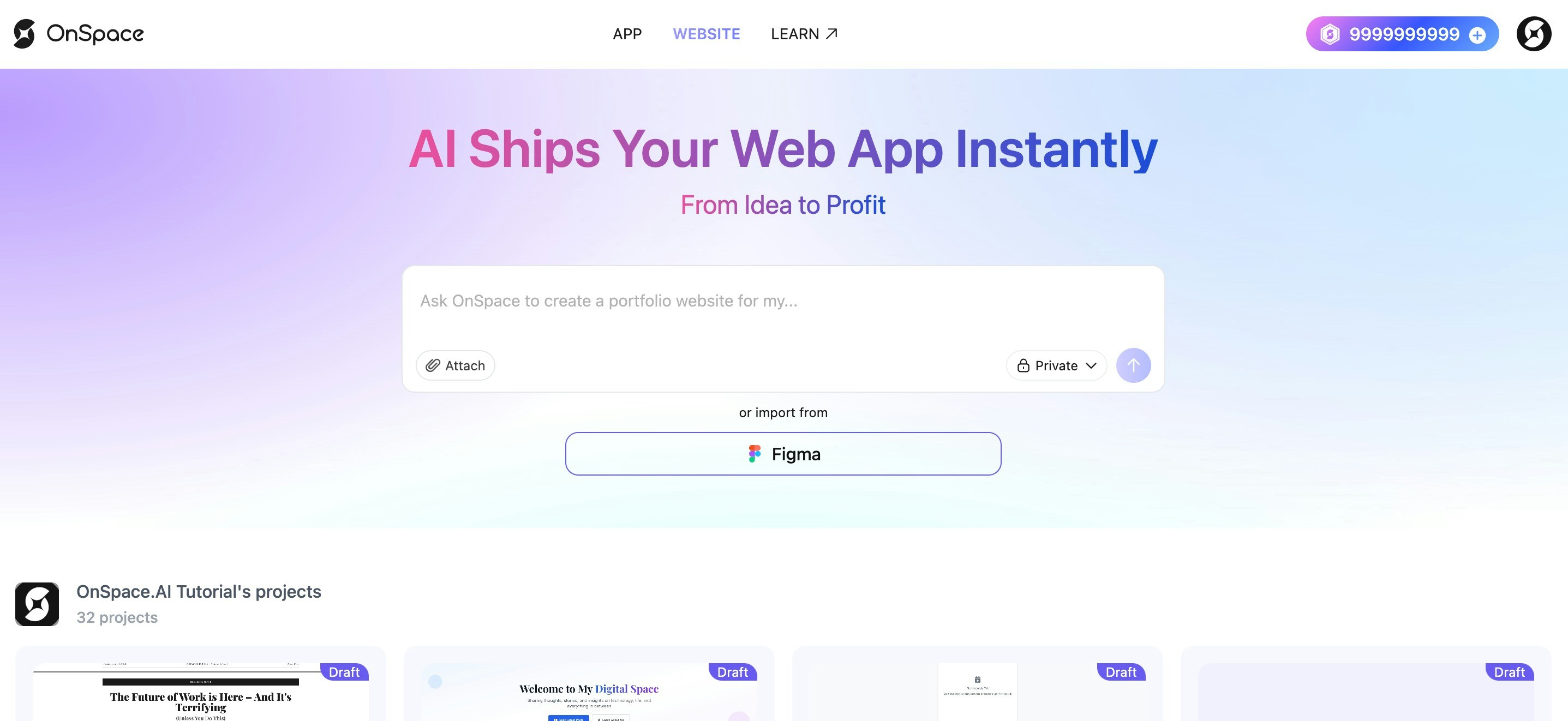 1. **Locate the Figma import option** - Click the **Figma button** under the chat creation area
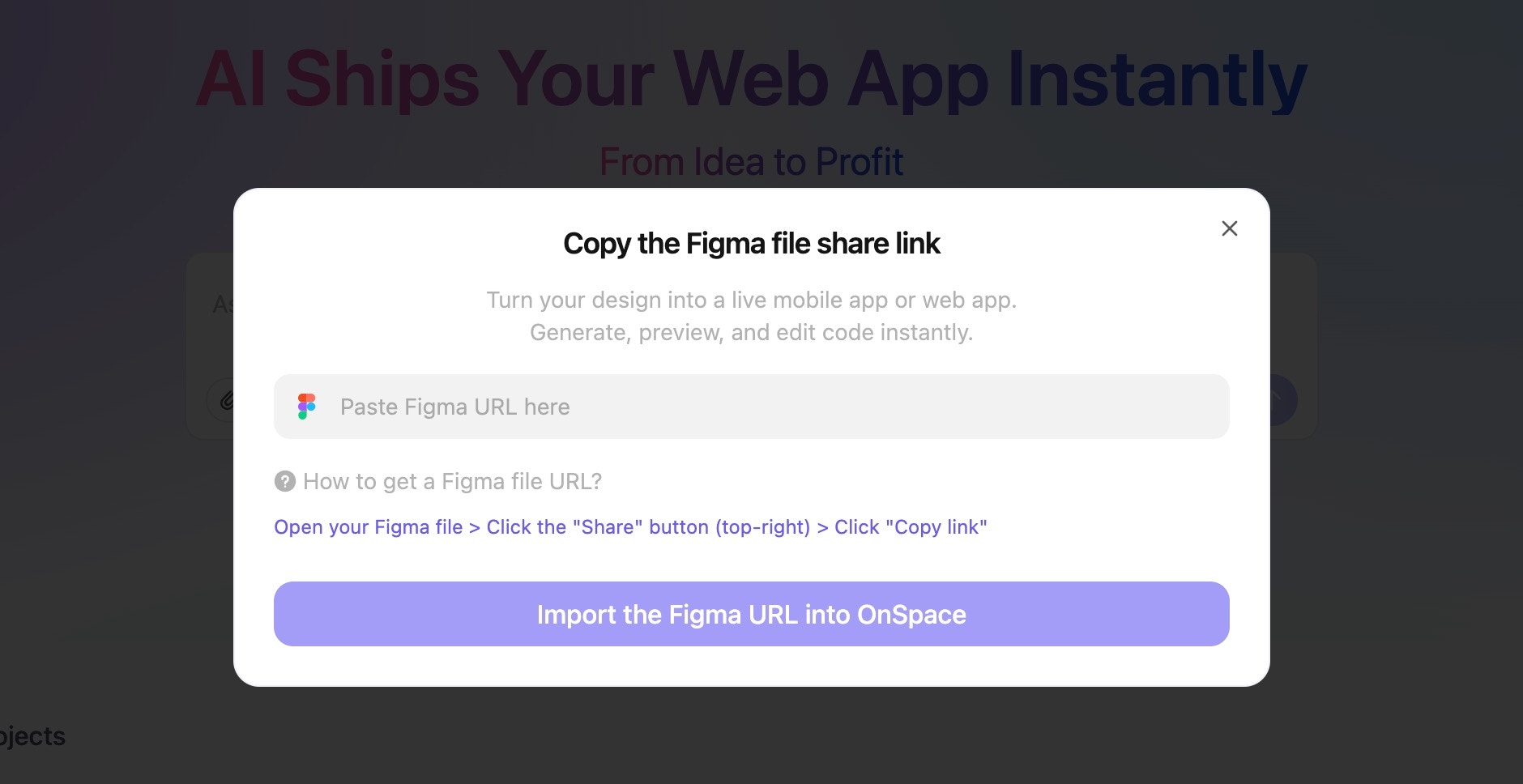 2. **Paste your Figma project URL** into the provided field
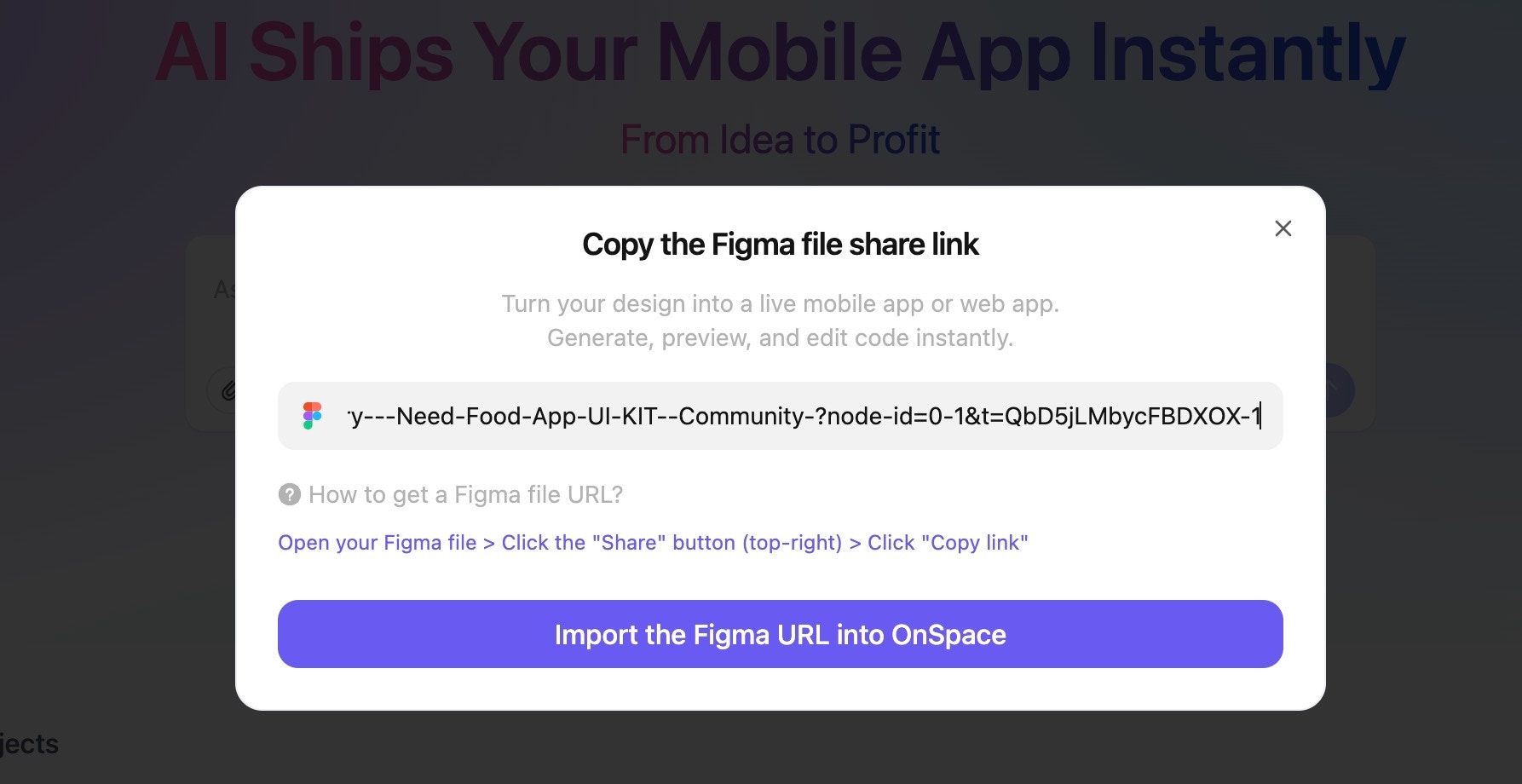 **Note**: If your Import button appears grayed out or unclickable, this indicates that you have pasted an **invalid Figma URL**.
3\. **Click the "Import" button** to begin the process
**Note**: If your Import button appears grayed out or unclickable, this indicates that you have pasted an **invalid Figma URL**.
3\. **Click the "Import" button** to begin the process
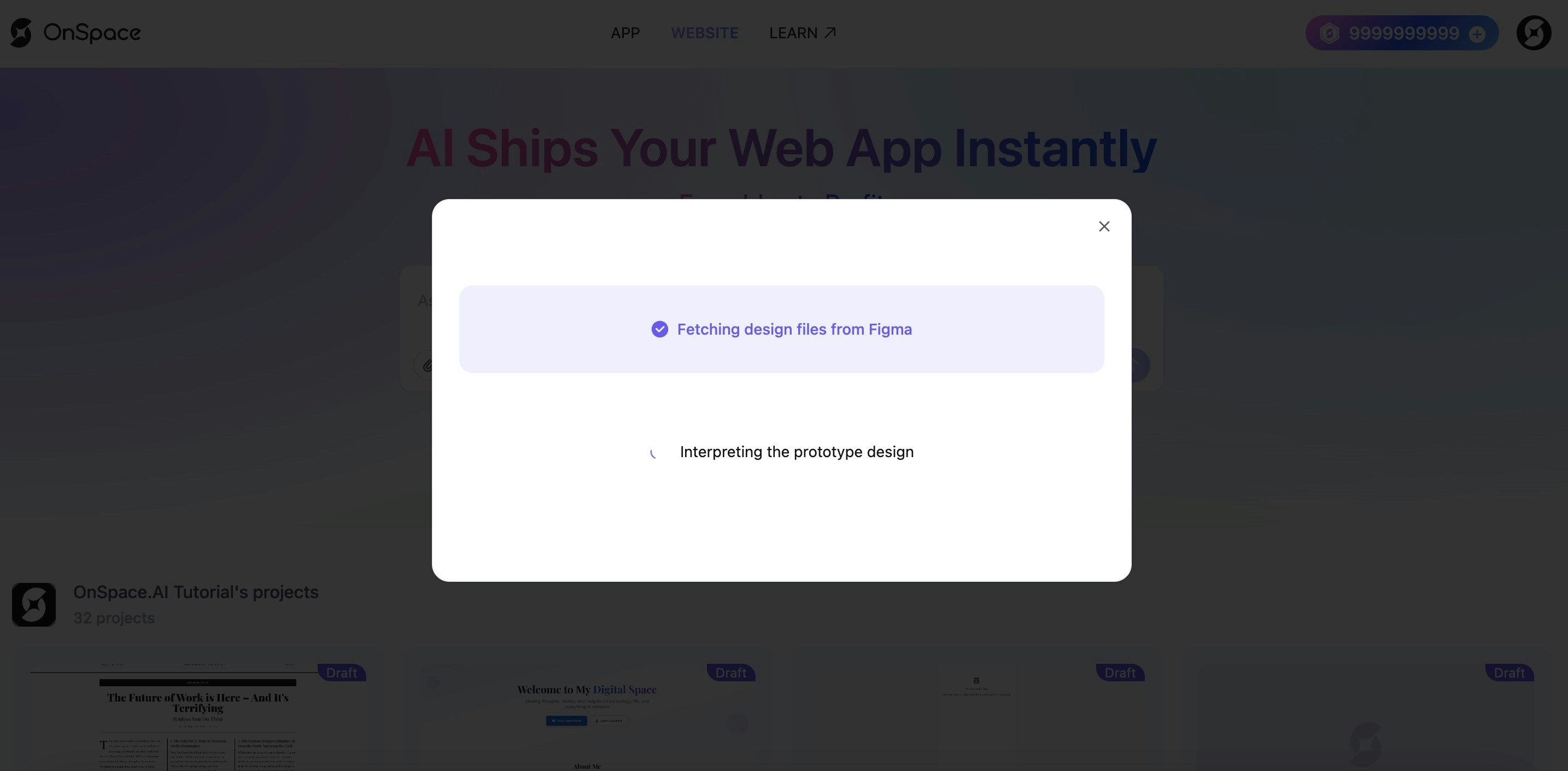 ### **Step 4: AI Processing**
Once you've imported your design, OnSpace AI will:
* **Fetch your Figma project** automatically
* **Analyze your design components** and layouts
* **Begin the transformation process** into a functional application
## **What Happens Next?**
OnSpace AI will intelligently convert your static Figma design into:
* Interactive UI components
* Responsive layouts
* Functional application logic
* Clean, production-ready code
### **Step 4: AI Processing**
Once you've imported your design, OnSpace AI will:
* **Fetch your Figma project** automatically
* **Analyze your design components** and layouts
* **Begin the transformation process** into a functional application
## **What Happens Next?**
OnSpace AI will intelligently convert your static Figma design into:
* Interactive UI components
* Responsive layouts
* Functional application logic
* Clean, production-ready code