> ## Documentation Index
> Fetch the complete documentation index at: https://docs.onspace.ai/llms.txt
> Use this file to discover all available pages before exploring further.
# Visibility Controls
> Edit your project's source code directly in OnSpace
**How It Works**
Two ways to control your project's visibility:
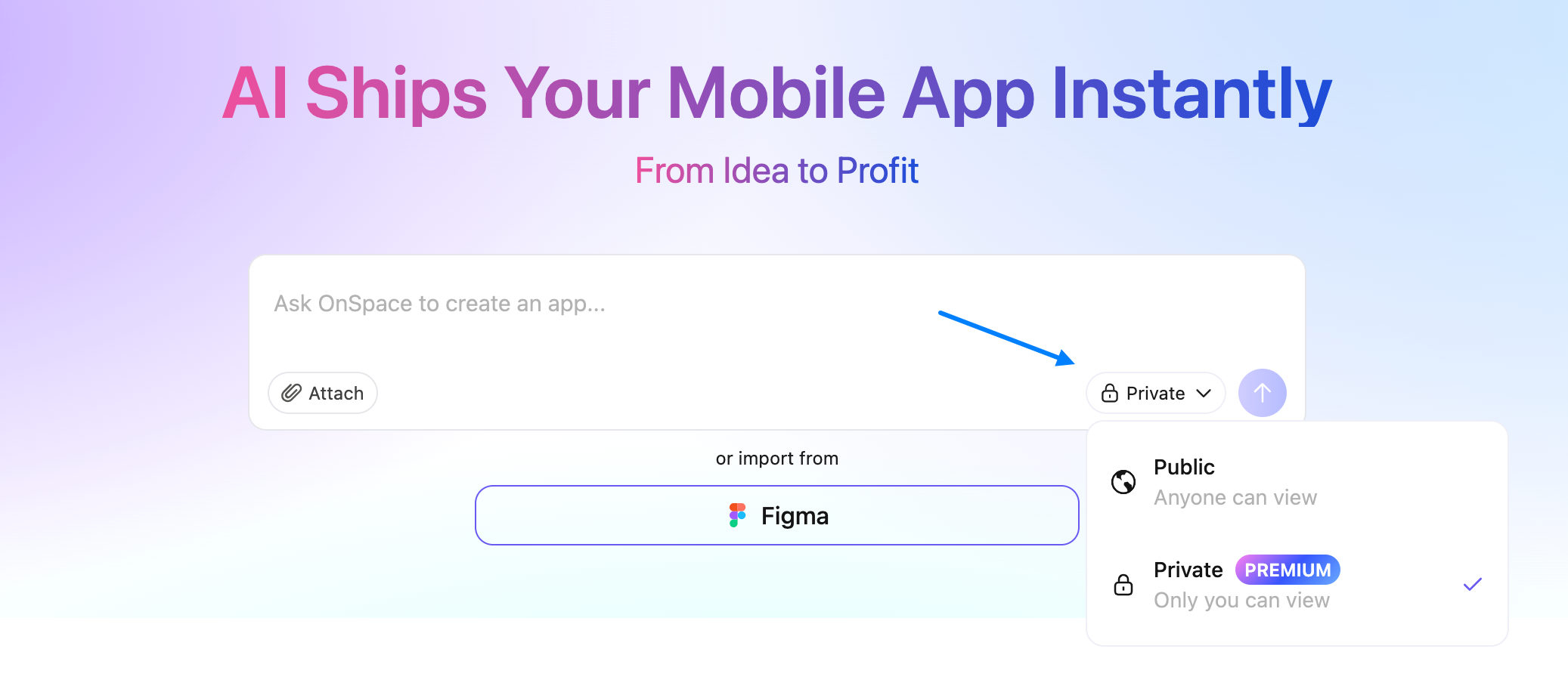
1. **Set It From The Start**\
When creating a new project, just select Public or Private right off the bat.
 2. **Change Your Mind Later**
Forgot to choose? No sweat. We've all been there.
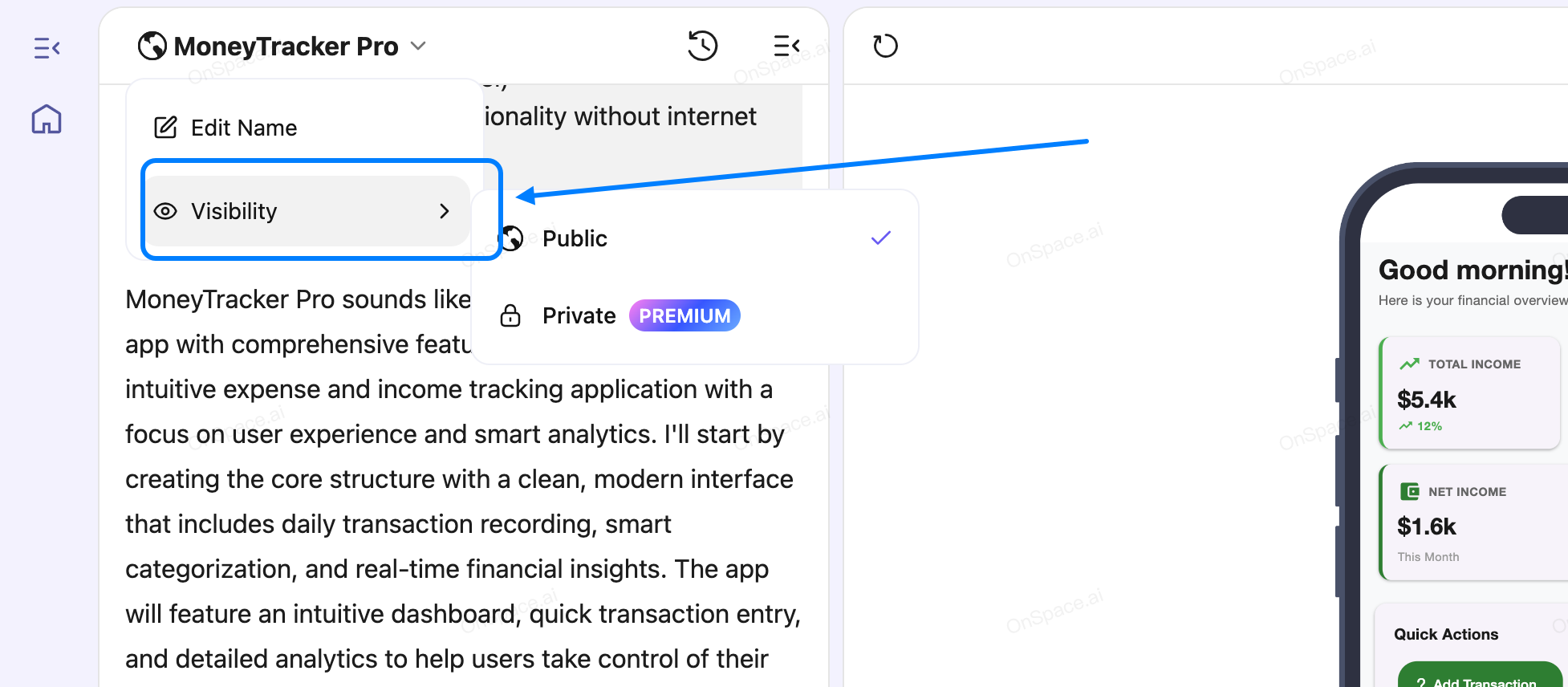
Head to your project page → Click the Visibility option in the top-left corner → Switch between Private/Public anytime.
2. **Change Your Mind Later**
Forgot to choose? No sweat. We've all been there.
Head to your project page → Click the Visibility option in the top-left corner → Switch between Private/Public anytime.
 **Public Projects**
* Show off when you're ready to flex
* Get community feedback and props
* Build your reputation with actual working demos
* Let the world see your genius (when it's actually genius)
**Private Projects**
* Keep your experimental mess under wraps
* Share with specific collaborators only
* Perfect for those "it works on my machine" moments
**Public Projects**
* Show off when you're ready to flex
* Get community feedback and props
* Build your reputation with actual working demos
* Let the world see your genius (when it's actually genius)
**Private Projects**
* Keep your experimental mess under wraps
* Share with specific collaborators only
* Perfect for those "it works on my machine" moments