> ## Documentation Index
> Fetch the complete documentation index at: https://docs.onspace.ai/llms.txt
> Use this file to discover all available pages before exploring further.
# Mobile View
> View your project directly in the OnSpace App.
### **How It Works**
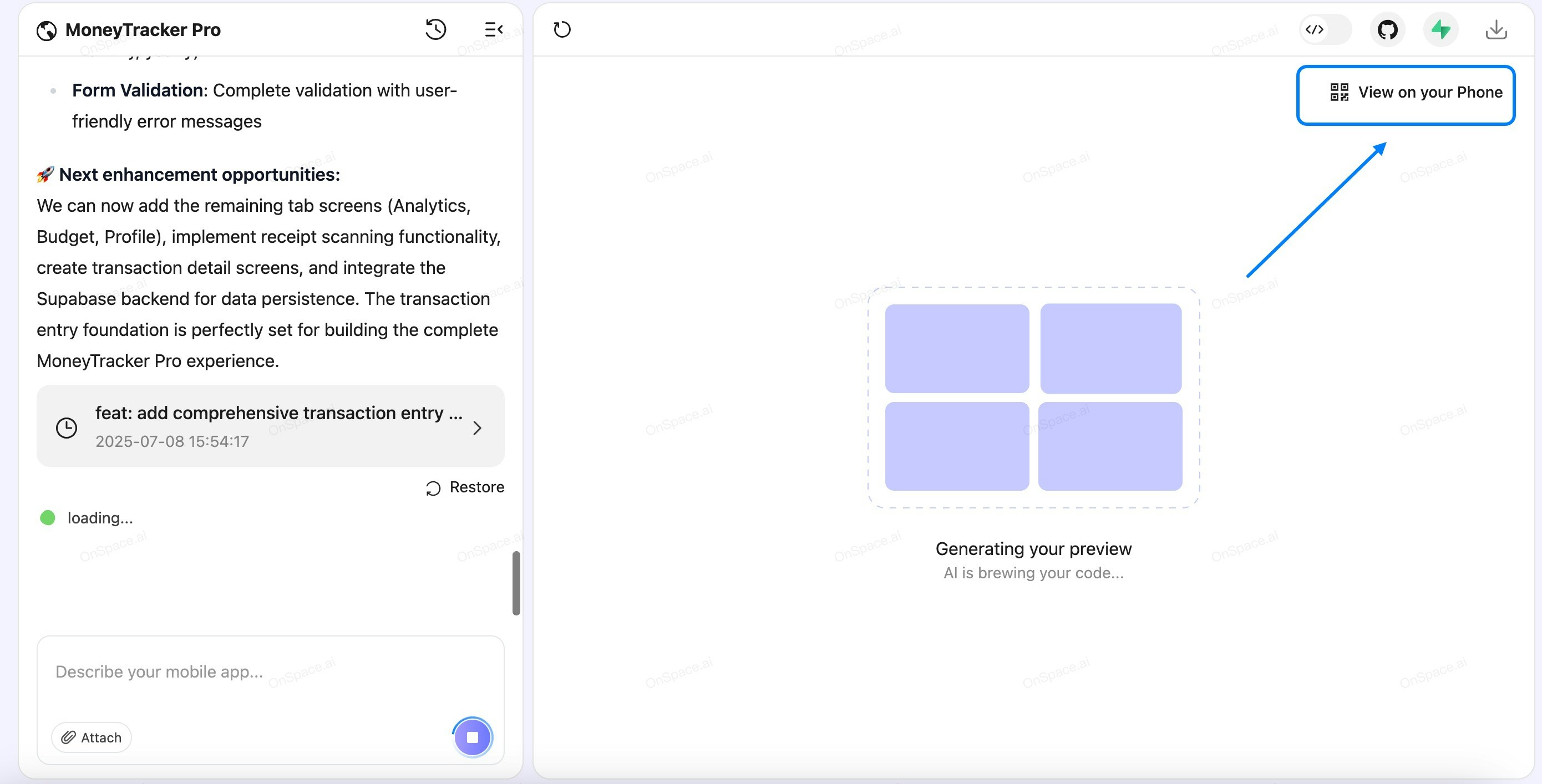
1. **Locate the "View on Your Phone" Button**
* Click the **"View on Your Phone"** button in the top-right corner of the screen.
 1. **QR Code Popup Window Appears**
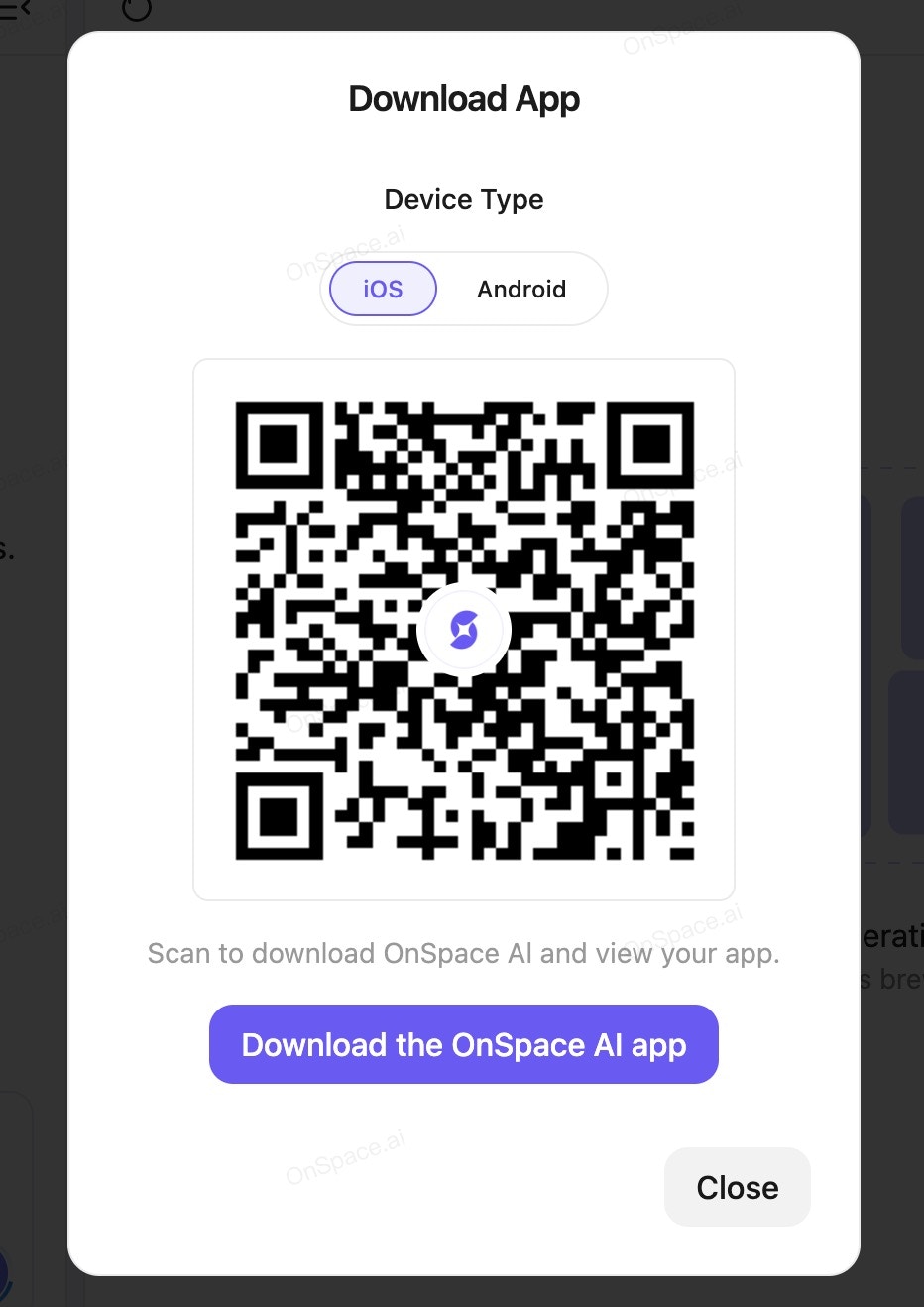
* A popup window will display a QR code along with device options (**iOS** or **Android**).
1. **QR Code Popup Window Appears**
* A popup window will display a QR code along with device options (**iOS** or **Android**).
 2. **Select Your Device**
* Choose your mobile platform:
* **iOS (Apple iPhone)**
* **Android**
3. **Scan QR Code or Download Link**
* **Option 1: Scan QR Code**
* Open your device’s camera or a QR scanner app.
* Point the camera at the QR code to open the **app** directly.
* **Option 2: Download Link (if applicable)**
* Click the provided download link to install the app.
4. **Try a Live React Native App in OnSpace AI**
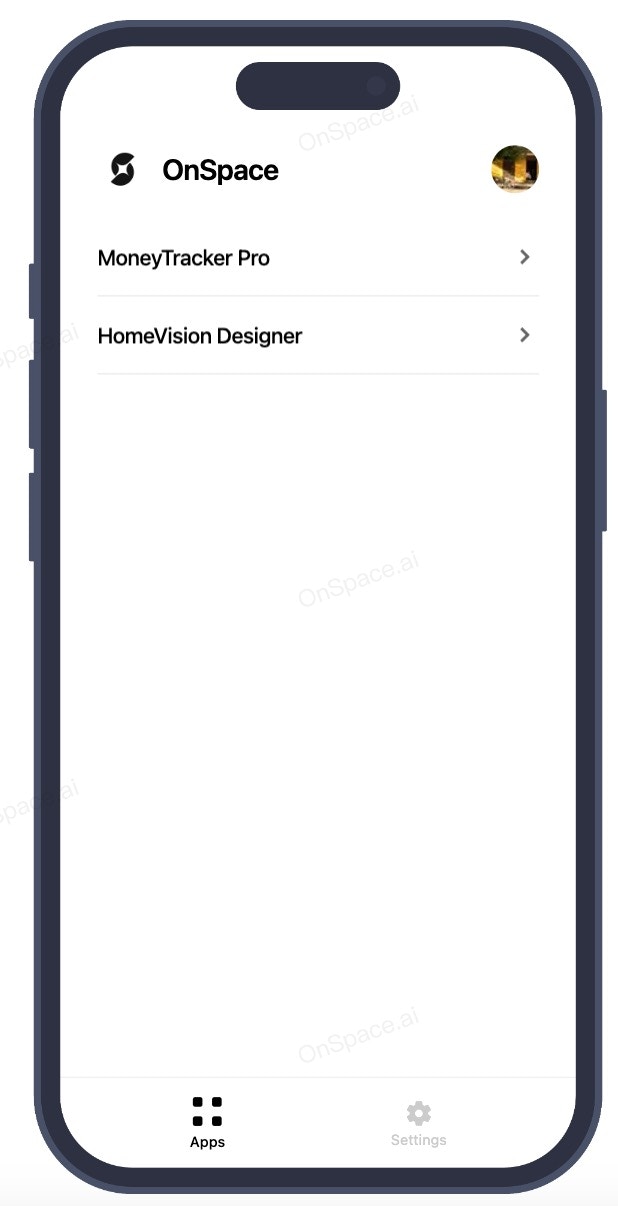
Open the OnSpace AI App. In the APP list, you'll see the project names—tap on one to experience a real React Native app right from your mobile device.
2. **Select Your Device**
* Choose your mobile platform:
* **iOS (Apple iPhone)**
* **Android**
3. **Scan QR Code or Download Link**
* **Option 1: Scan QR Code**
* Open your device’s camera or a QR scanner app.
* Point the camera at the QR code to open the **app** directly.
* **Option 2: Download Link (if applicable)**
* Click the provided download link to install the app.
4. **Try a Live React Native App in OnSpace AI**
Open the OnSpace AI App. In the APP list, you'll see the project names—tap on one to experience a real React Native app right from your mobile device.