> ## Documentation Index
> Fetch the complete documentation index at: https://docs.onspace.ai/llms.txt
> Use this file to discover all available pages before exploring further.
# Scanner Agent
> Real-time detection of runtime errors and performance issues as you code.
### What is Scanner Agent?
Real-time monitoring and analysis of your application’s runtime behavior with intelligent error detection and performance profiling. Proactive issue identification with contextual debugging insights - your code gets a guardian angel that actually knows what it’s doing.
#### Follow these simple steps to activate real-time monitoring for your application:
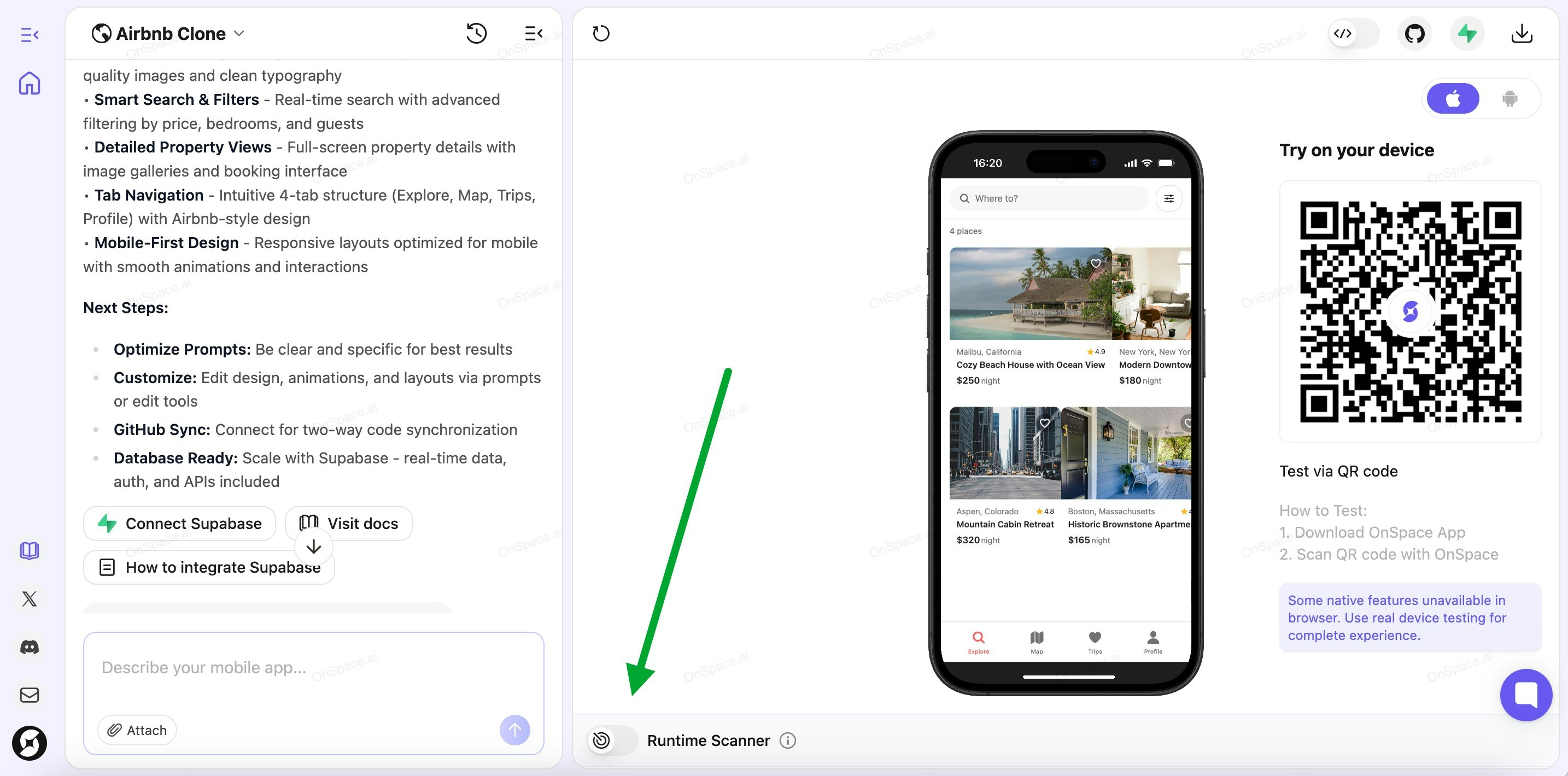
#### **Step 1: Enable Runtime Scanner**
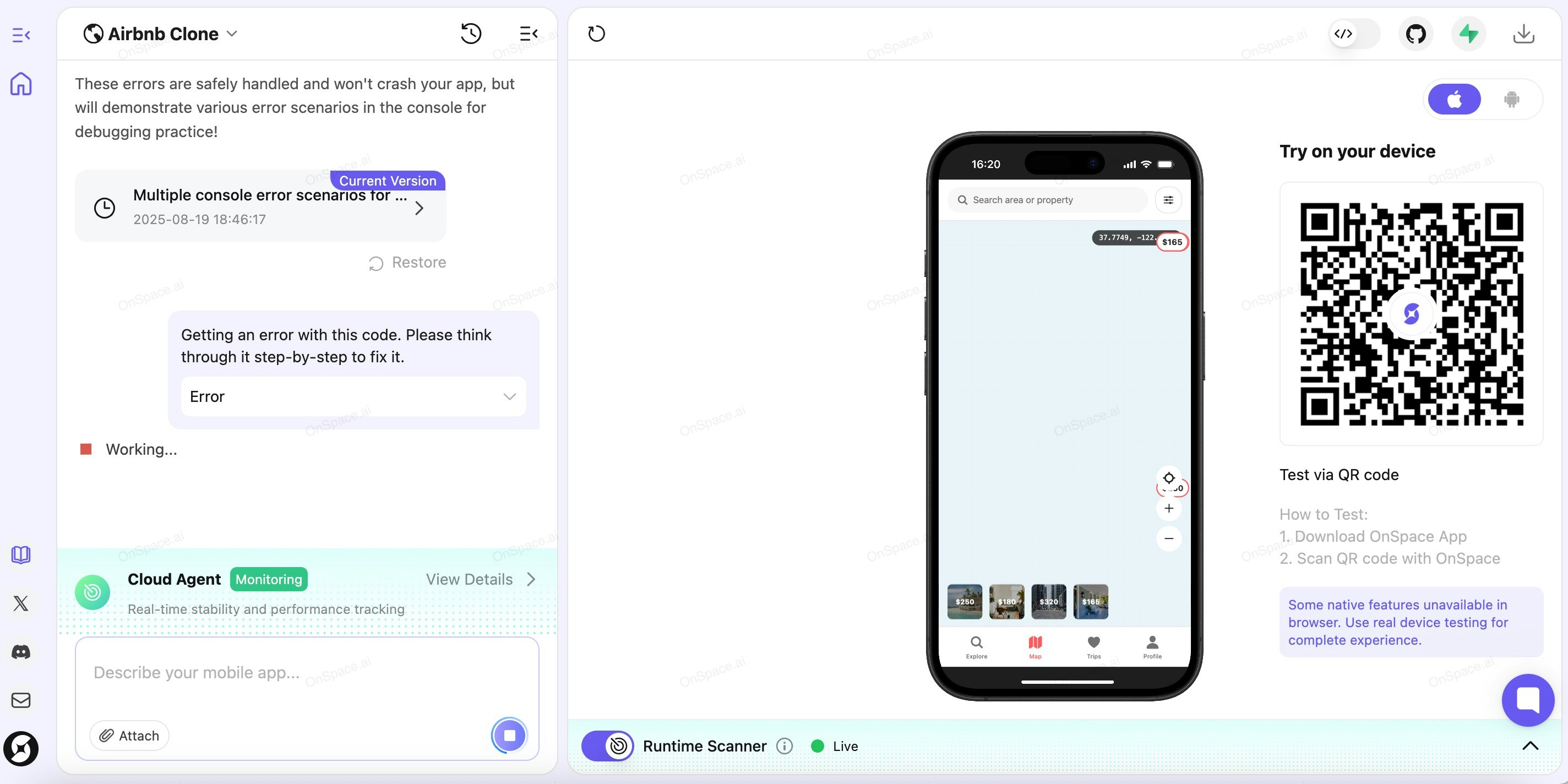
Click the **Runtime Scanner** toggle to activate Scanner Agent. The system needs a moment to initialize.
 #### **Step 2: Check Connection Status**
Once activated, Scanner Agent enters **monitoring mode** for real-time stability and performance tracking.
Look at the botton side of your screen to check the Scanner Agent status:
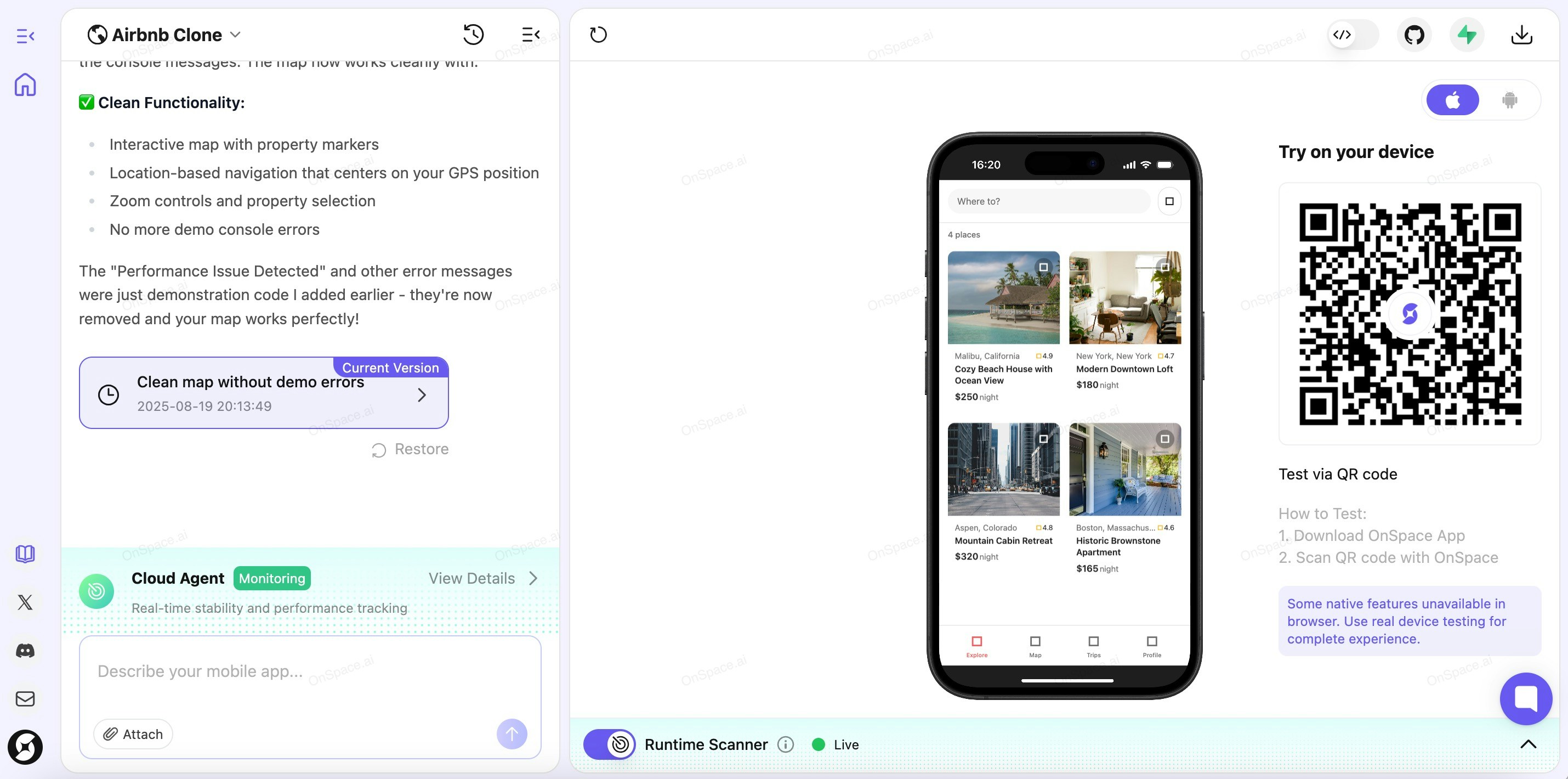
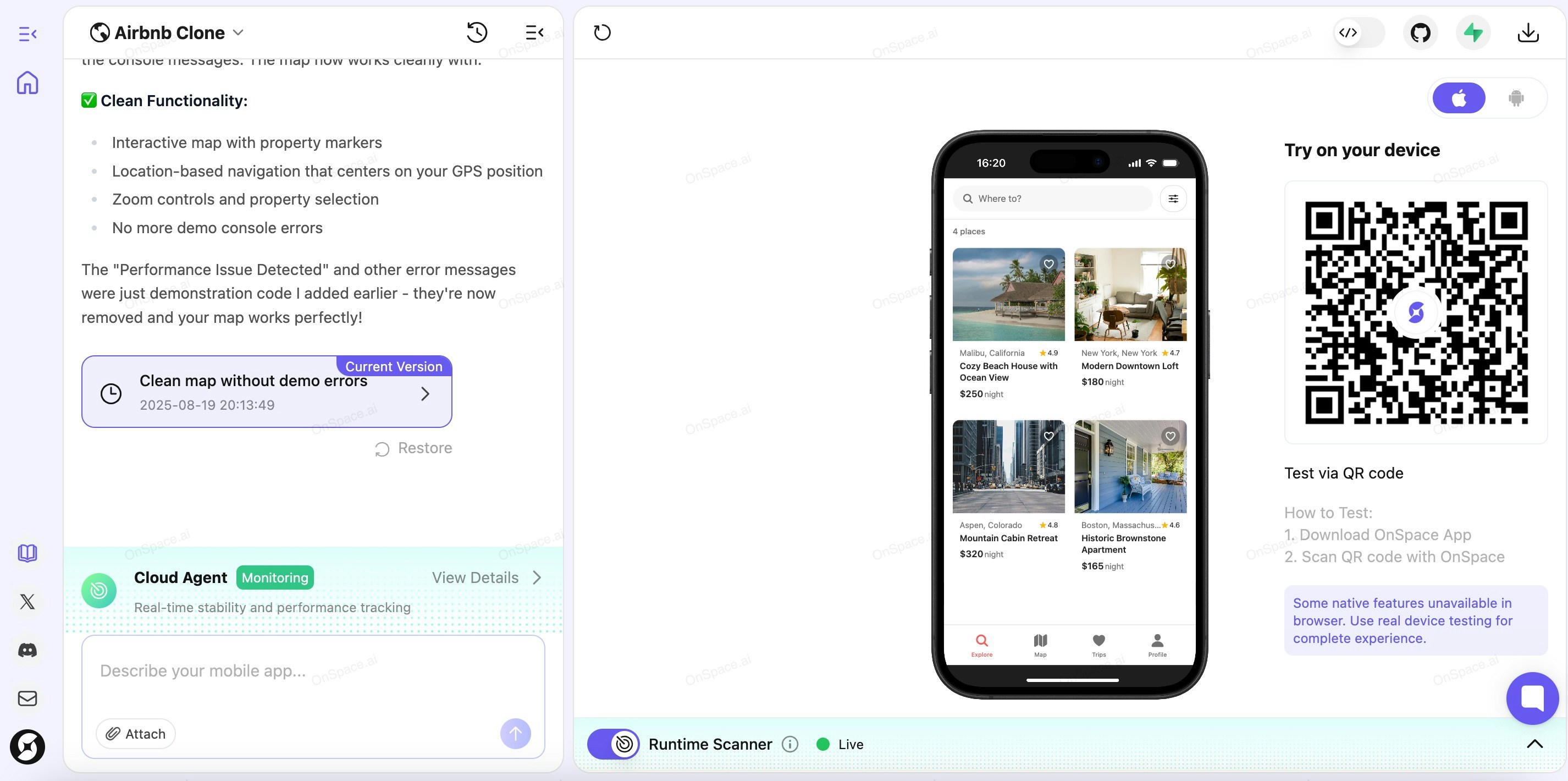
* **🟢 Live** - Your app is successfully connected to our cloud sandbox
#### **Step 2: Check Connection Status**
Once activated, Scanner Agent enters **monitoring mode** for real-time stability and performance tracking.
Look at the botton side of your screen to check the Scanner Agent status:
* **🟢 Live** - Your app is successfully connected to our cloud sandbox
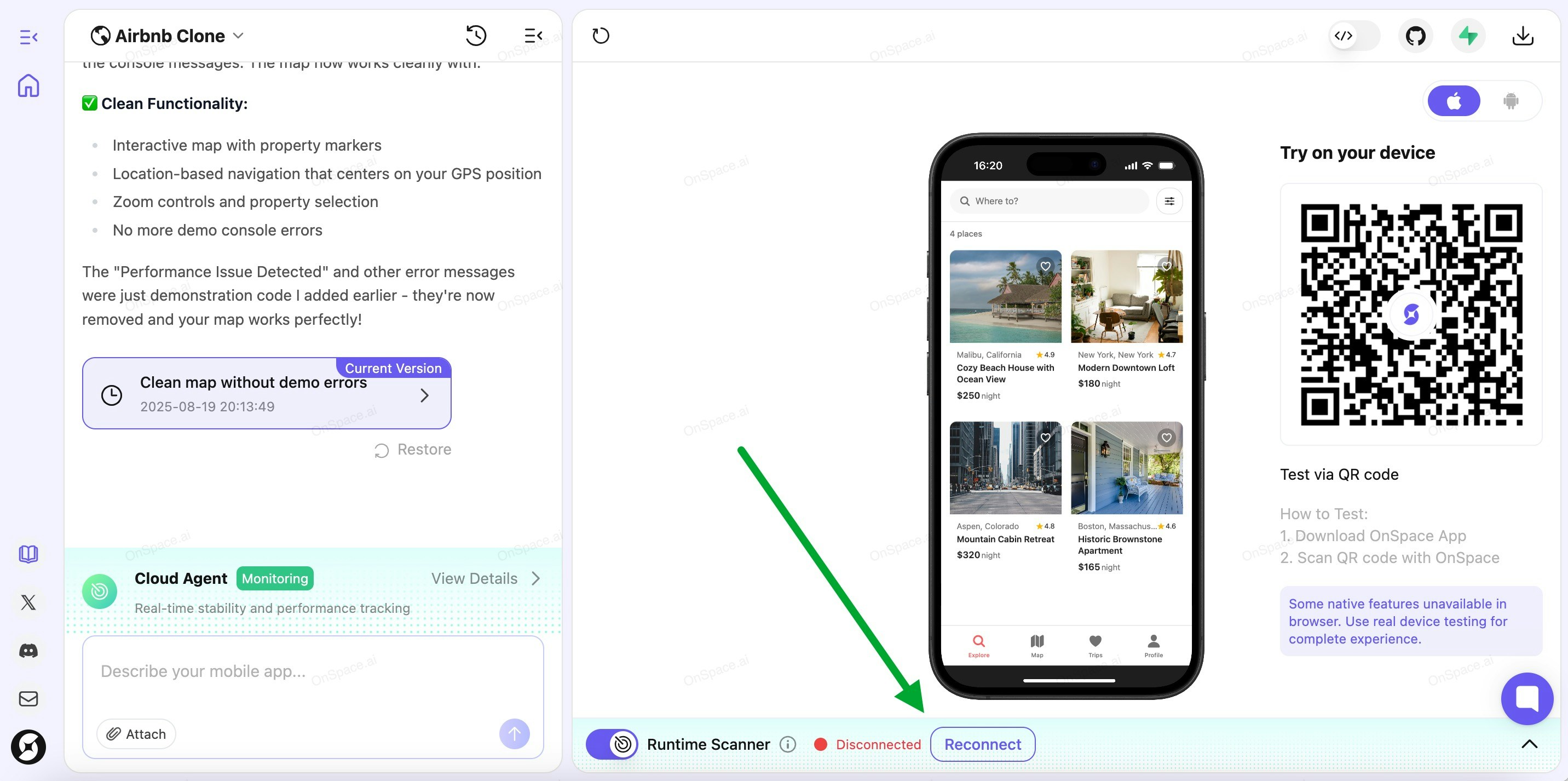
 * **🔴 Disconnected** - Network connection lost. Click **"Reconnect"** to restore the link
 #### **Step 3: Monitor and Fix Runtime Errors**
When Runtime Scanner detects issues during app execution, they'll appear in the **Runtime Scanner** section.
You have three options:
* **Fix All** - Automatically resolve all detected errors at once
* **Expand & Fix Individual Issues** - Click on a specific error, then hit **"Fix Now"** for targeted repairs
* **Dismiss** - Ignore the error if you don't want to address it right now
#### **Step 3: Monitor and Fix Runtime Errors**
When Runtime Scanner detects issues during app execution, they'll appear in the **Runtime Scanner** section.
You have three options:
* **Fix All** - Automatically resolve all detected errors at once
* **Expand & Fix Individual Issues** - Click on a specific error, then hit **"Fix Now"** for targeted repairs
* **Dismiss** - Ignore the error if you don't want to address it right now
 #### **Step 4: Verify Success**
After successful fixes, your Runtime Scanner should show a clean slate - no errors detected. Your app is now running smoothly under Cloud Agent's watchful eye.
#### **Step 4: Verify Success**
After successful fixes, your Runtime Scanner should show a clean slate - no errors detected. Your app is now running smoothly under Cloud Agent's watchful eye.