 ### Step-by-Step Instructions
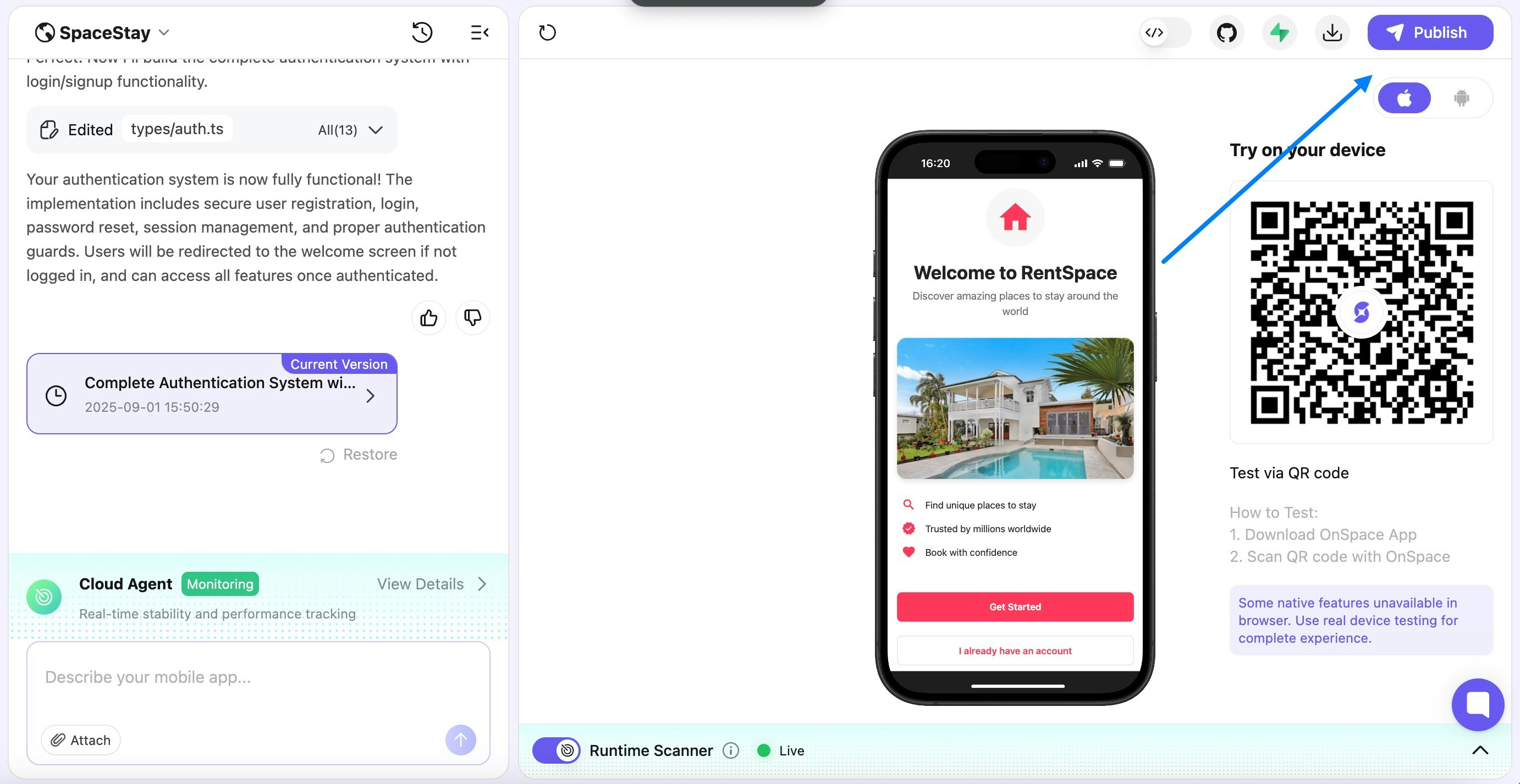
1. **Navigate to Your Project**
* Go to your project page when your app is ready
* Click "Publish" to make your project accessible
### Step-by-Step Instructions
1. **Navigate to Your Project**
* Go to your project page when your app is ready
* Click "Publish" to make your project accessible
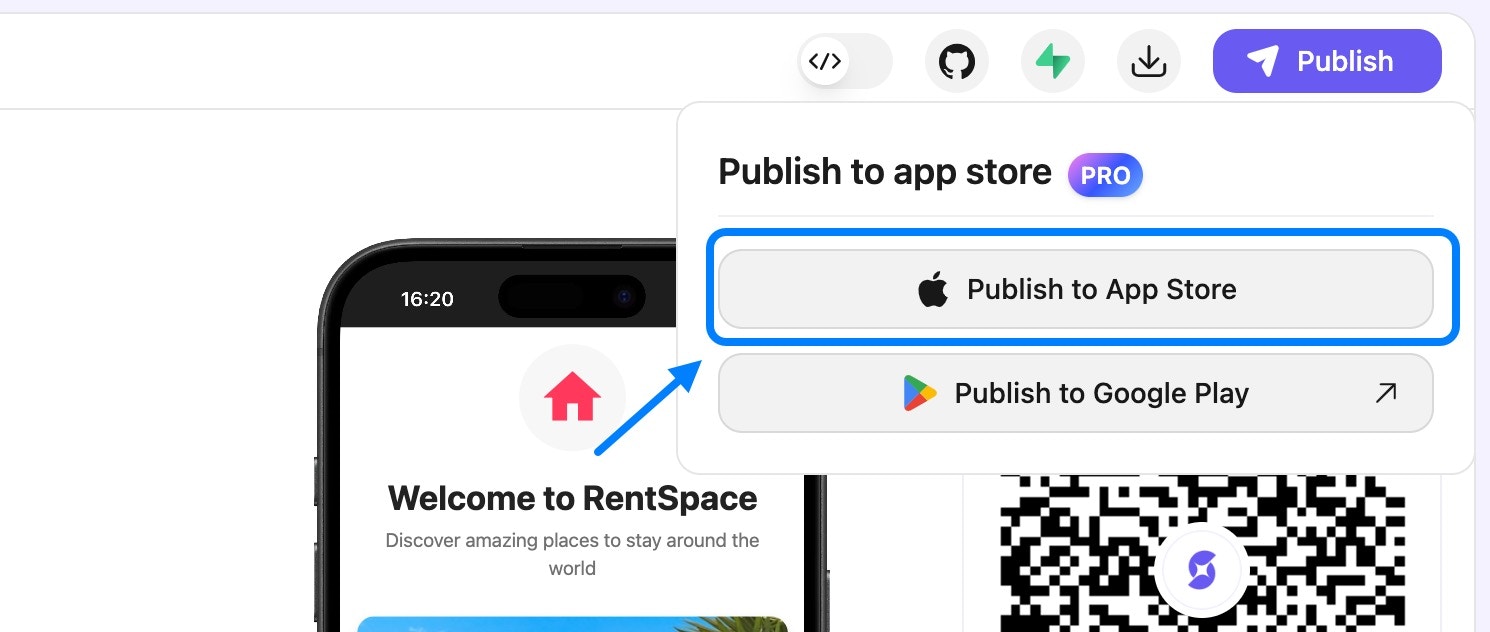
 2. **Start the Publishing Process**
* Click "Publish to App Store" button
2. **Start the Publishing Process**
* Click "Publish to App Store" button
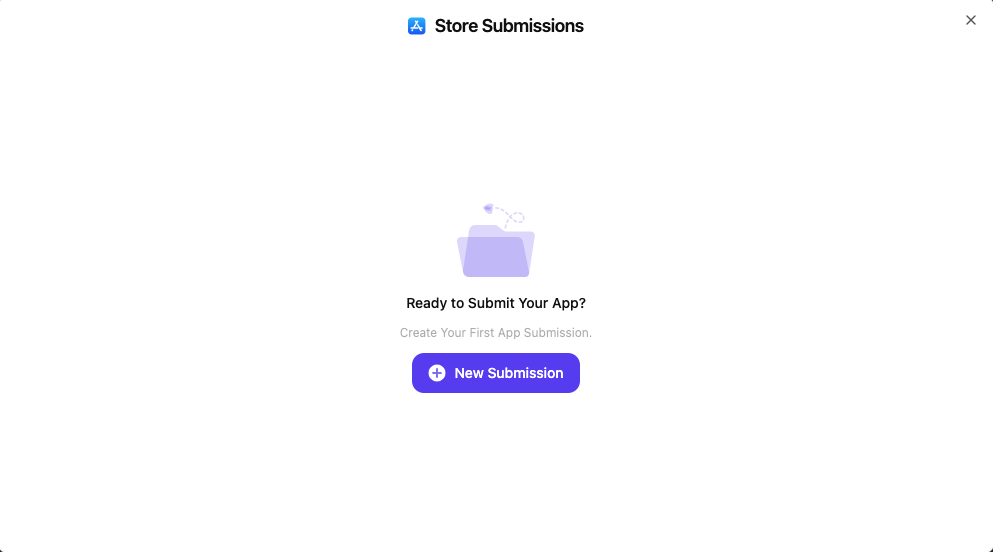
 3. **Create New Submission**
* For first-time publishers, click "New Submission"
3. **Create New Submission**
* For first-time publishers, click "New Submission"
 4. **Complete App Store Information**
**a. Developer Credentials**
* Enter your Apple Developer email
* Enter your Apple Developer password
4. **Complete App Store Information**
**a. Developer Credentials**
* Enter your Apple Developer email
* Enter your Apple Developer password
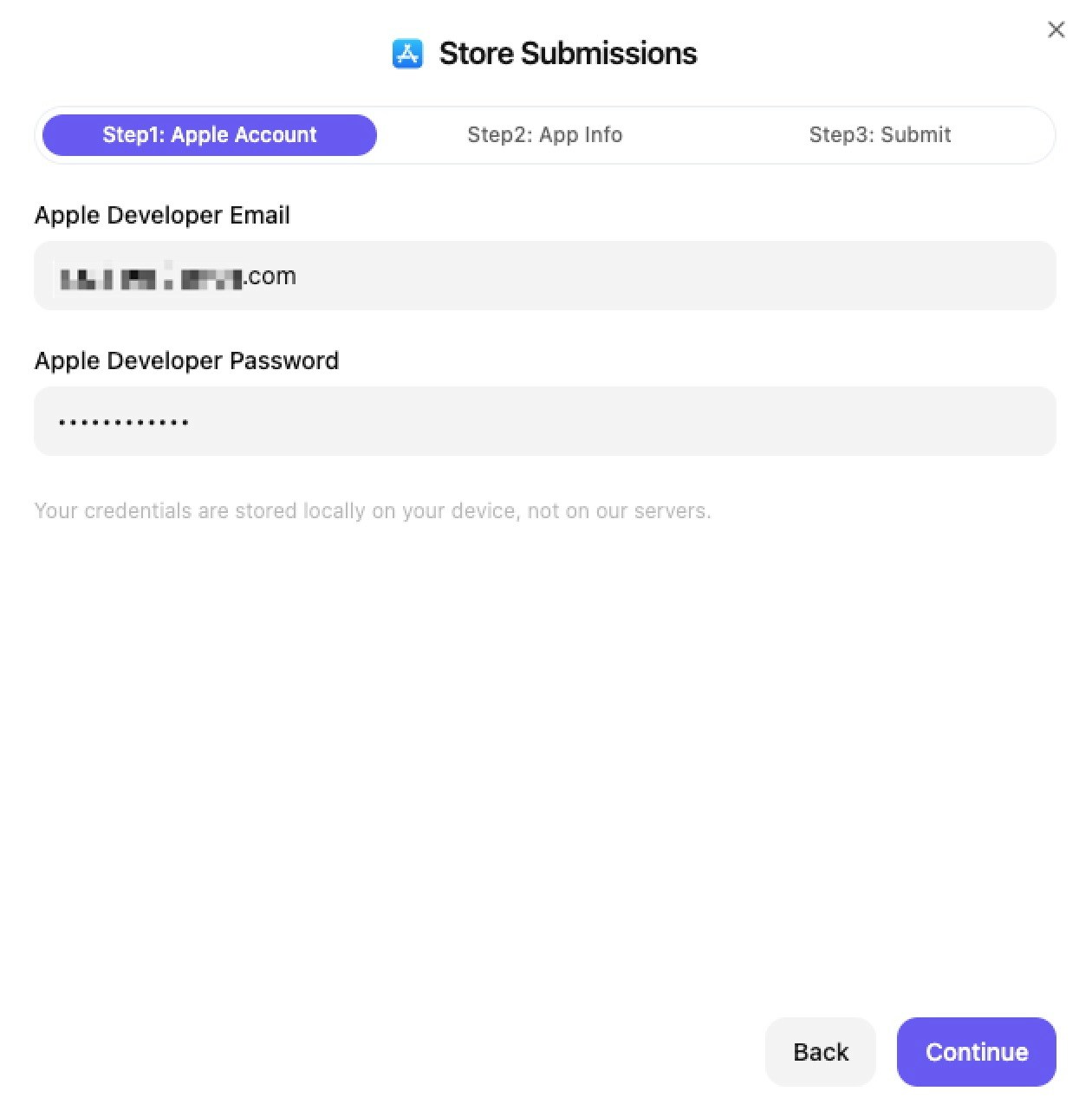
Privacy Note: All your App Store credentials and information are stored locally on your computer. We never store your Apple Developer information on our servers.
 5. **Payment & Building**
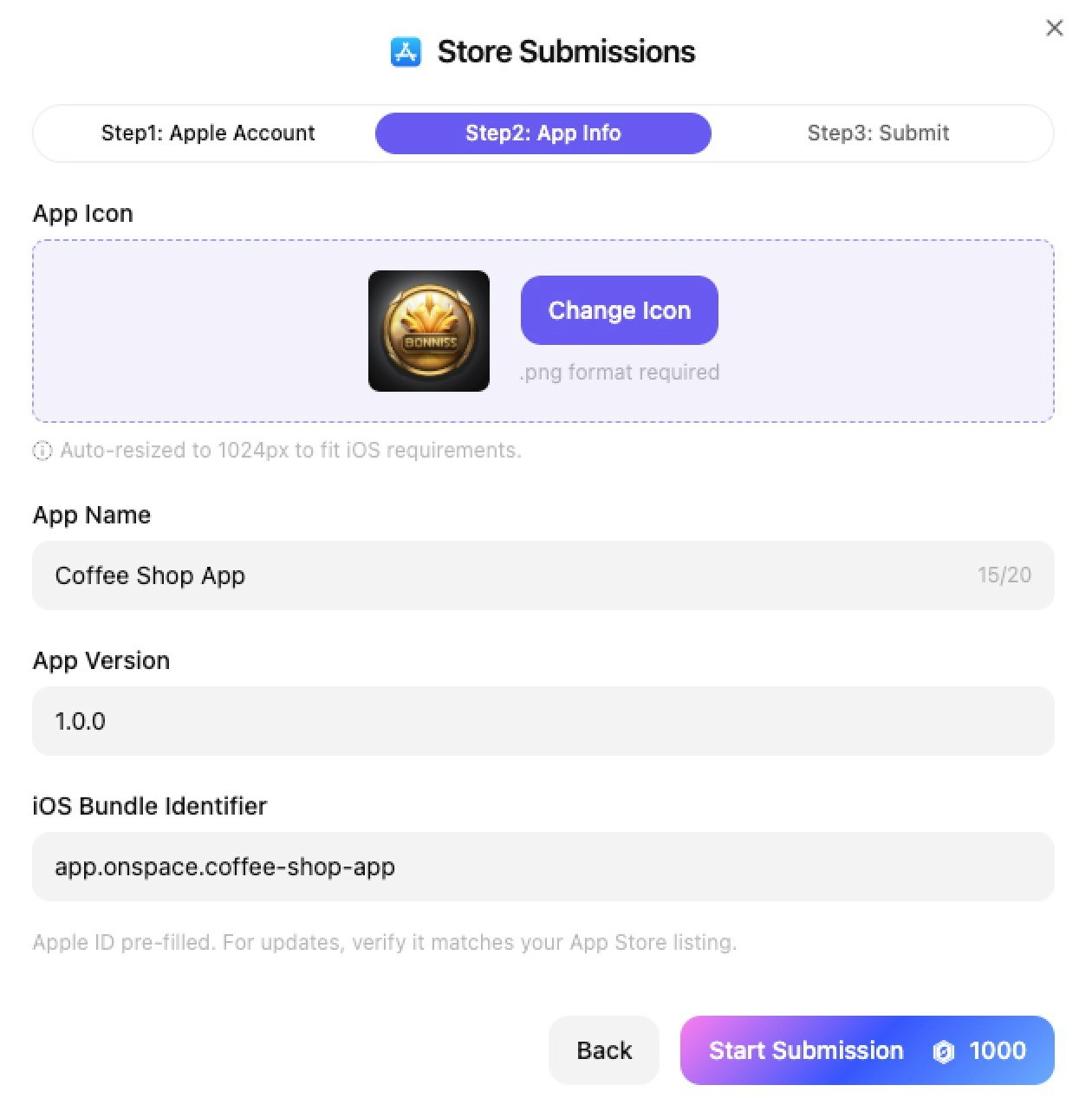
* Pay 1000 credits for the publishing service
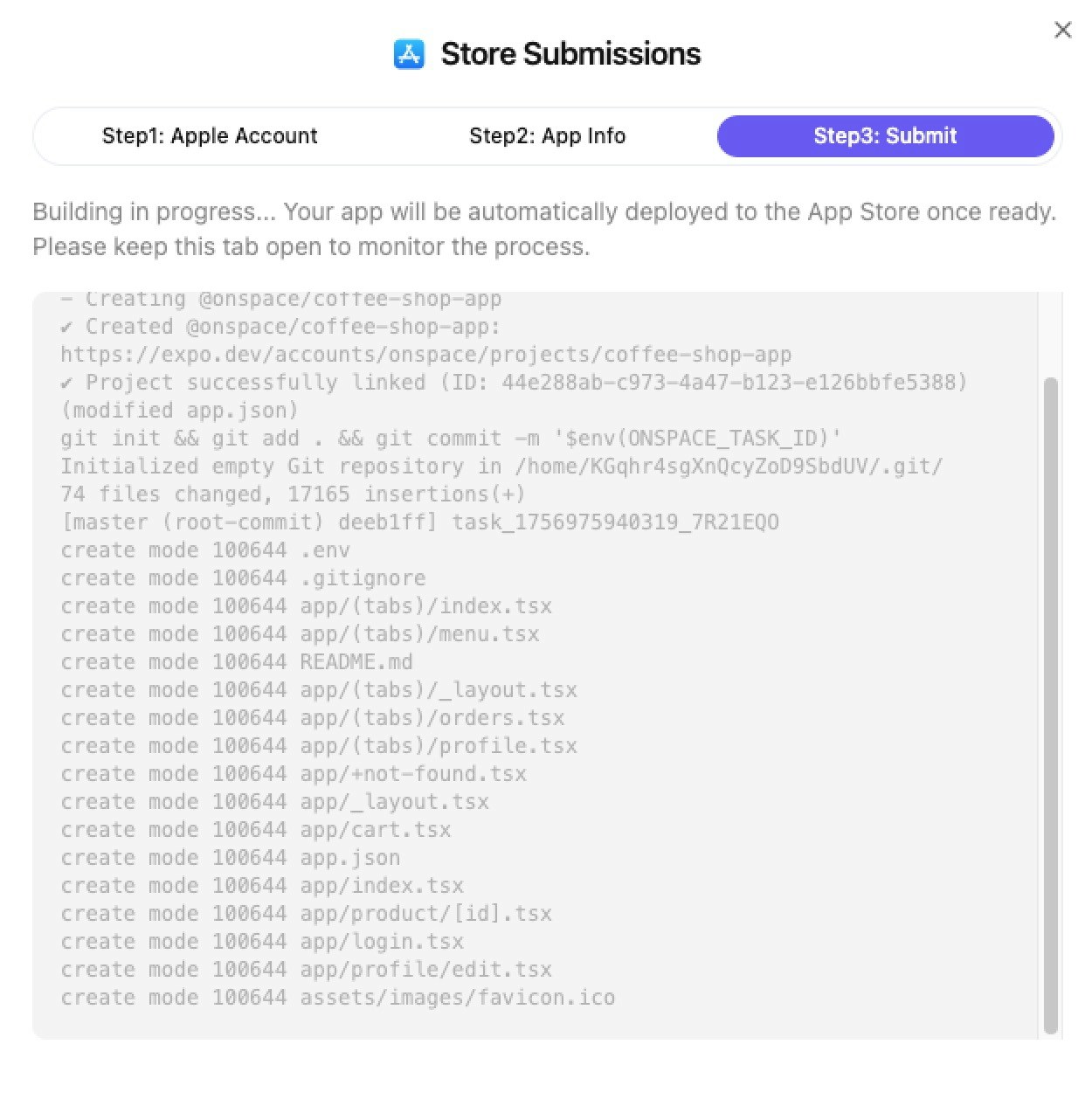
* Building in Progress - typically completes in less than 2 minutes
5. **Payment & Building**
* Pay 1000 credits for the publishing service
* Building in Progress - typically completes in less than 2 minutes
 7. **Apple Authentication**
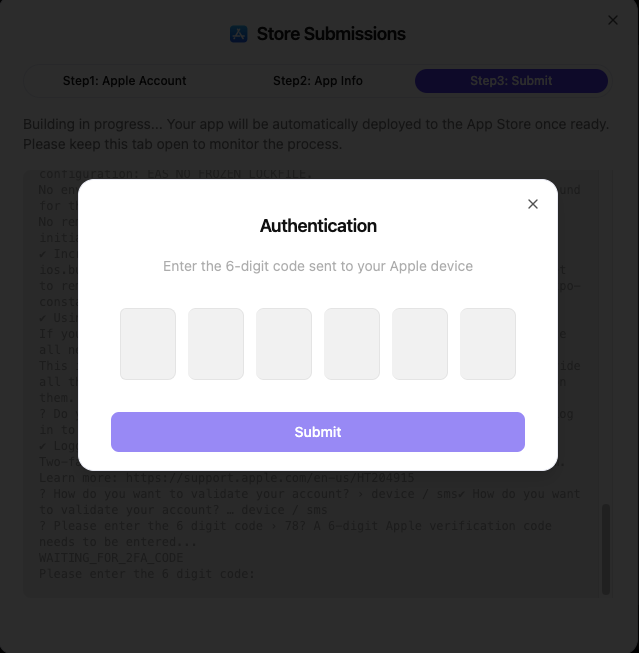
* An authentication dialog will appear
* Check your Apple device for a 6-digit verification code
* Enter the code in the provided input fields
* Click "Submit" to continue
7. **Apple Authentication**
* An authentication dialog will appear
* Check your Apple device for a 6-digit verification code
* Enter the code in the provided input fields
* Click "Submit" to continue
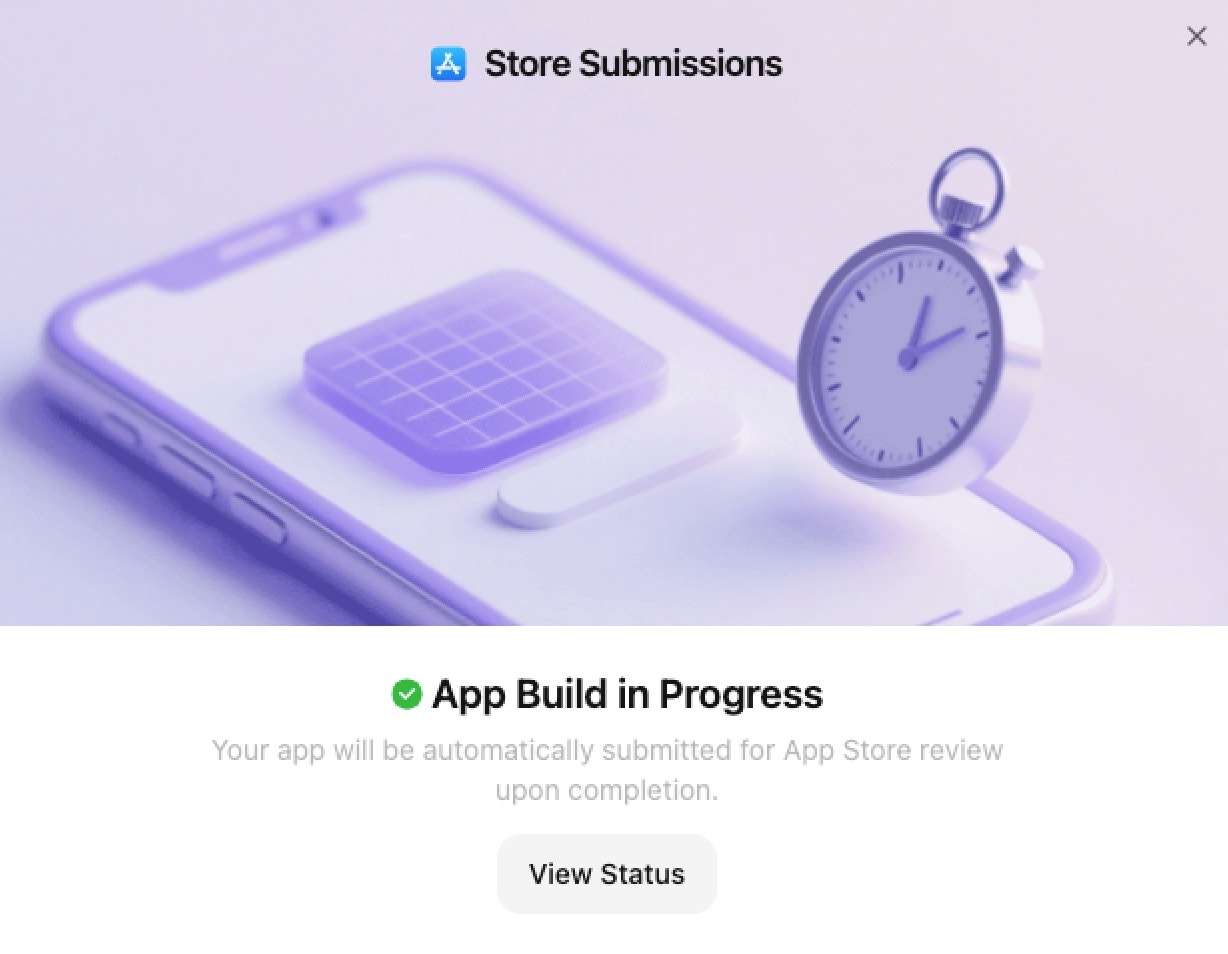
 8. **App Build in Progress**
* You'll see a confirmation screen with "App Build in Progress"
* Your app will be automatically submitted for App Store review upon completion
* Click "View Status" to track the submission progress
* The build process typically completes within a few minutes
8. **App Build in Progress**
* You'll see a confirmation screen with "App Build in Progress"
* Your app will be automatically submitted for App Store review upon completion
* Click "View Status" to track the submission progress
* The build process typically completes within a few minutes
 ### Submission Management Dashboard
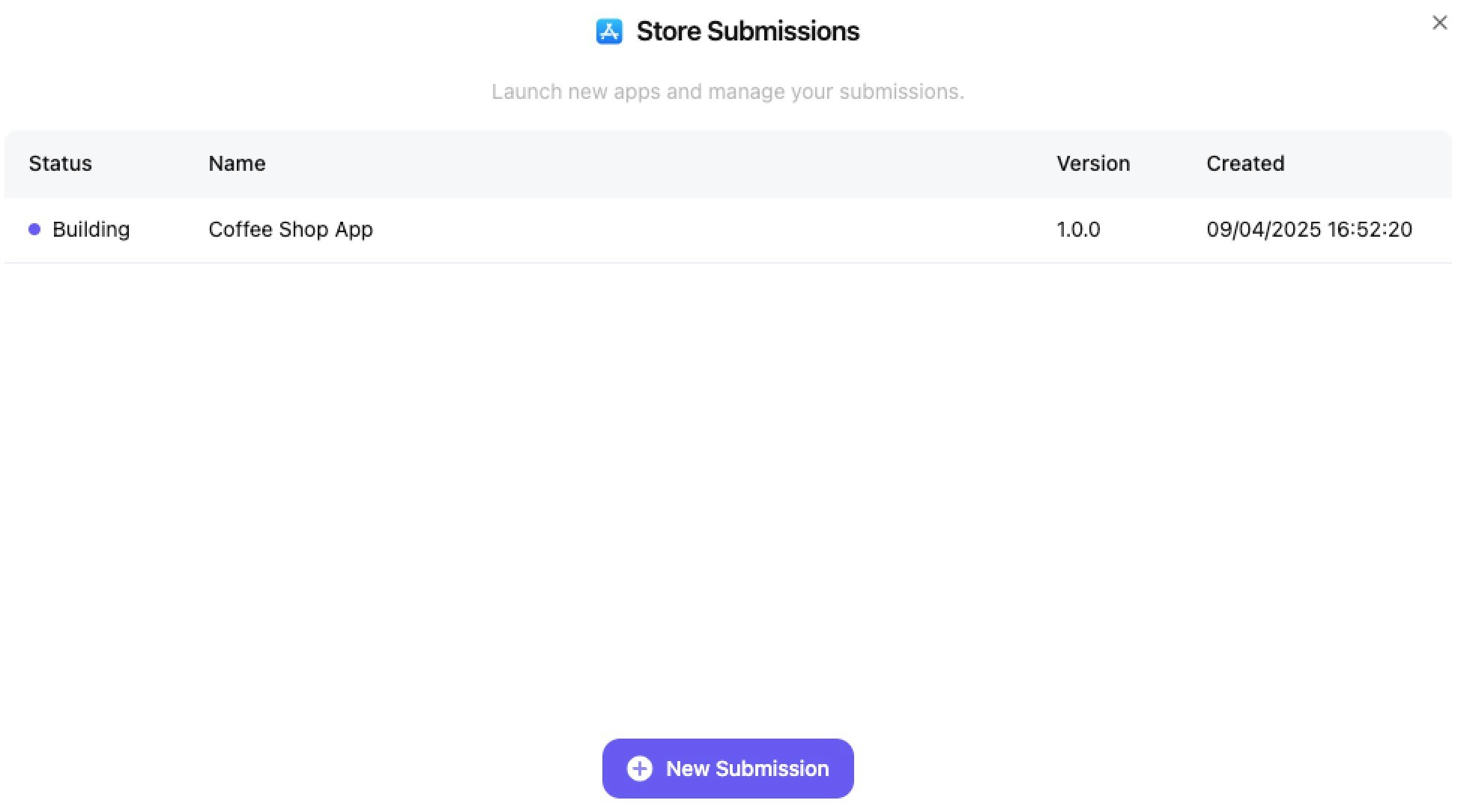
After submitting your app, you can track all your submissions in the **Store Submissions** dashboard. This centralized hub allows you to:
* **Monitor Status**: View real-time status updates for all your app submissions
* **Track Progress**: See which apps are building, under review, or live
* **Manage Versions**: Keep track of different app versions and their submission dates
* **Launch New Apps**: Click "New Submission" to publish additional projects
### Submission Management Dashboard
After submitting your app, you can track all your submissions in the **Store Submissions** dashboard. This centralized hub allows you to:
* **Monitor Status**: View real-time status updates for all your app submissions
* **Track Progress**: See which apps are building, under review, or live
* **Manage Versions**: Keep track of different app versions and their submission dates
* **Launch New Apps**: Click "New Submission" to publish additional projects
 #### Submission Status Types:
* **Building**: Your app is currently being compiled and prepared for submission
* **Submitting**: Build complete - your app is being uploaded and submitted to Apple's App Store Connect
* **Submitted**: App has been sent to Apple for review
* **Failed**: Build or submission process encountered an error. If issues persist, contact our support team for assistance.
### What Happens Next
Once the build completes successfully, your app will be automatically submitted to the App Store for review. You can track the review status through the Store Submissions dashboard or Apple's App Store Connect dashboard.
#### Submission Status Types:
* **Building**: Your app is currently being compiled and prepared for submission
* **Submitting**: Build complete - your app is being uploaded and submitted to Apple's App Store Connect
* **Submitted**: App has been sent to Apple for review
* **Failed**: Build or submission process encountered an error. If issues persist, contact our support team for assistance.
### What Happens Next
Once the build completes successfully, your app will be automatically submitted to the App Store for review. You can track the review status through the Store Submissions dashboard or Apple's App Store Connect dashboard.