> ## Documentation Index
> Fetch the complete documentation index at: https://docs.onspace.ai/llms.txt
> Use this file to discover all available pages before exploring further.
# Download Andriod APK
> Download Android APK and share with others
### Overview
Turn your React Native project into a downloadable Android APK file that you can share with friends, colleagues.
### Step-by-Step Guide
#### 1. Navigate to Download Options
* Open your completed project in OnSpace
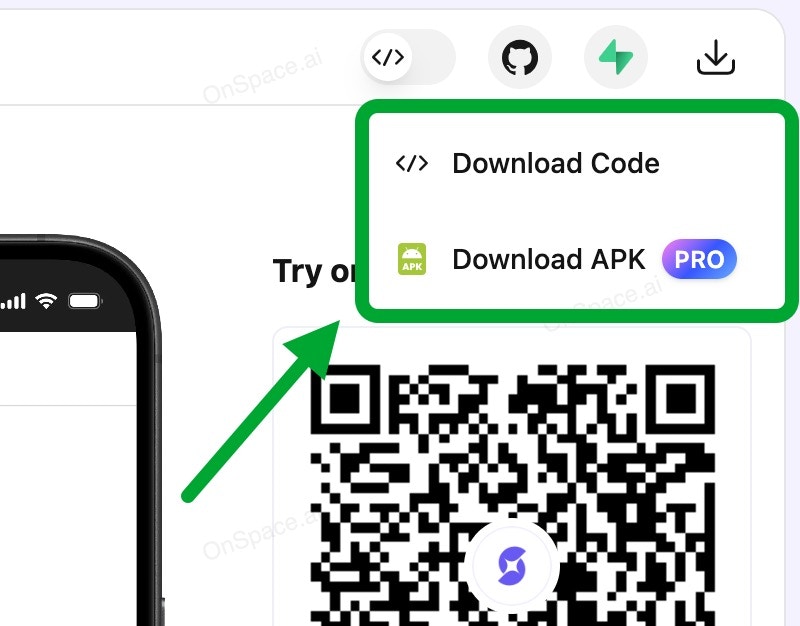
* Locate the **Download** button in the top-right corner
* Click **Download** and select **Download APK** from the menu
 #### 2. Initialize APK Build
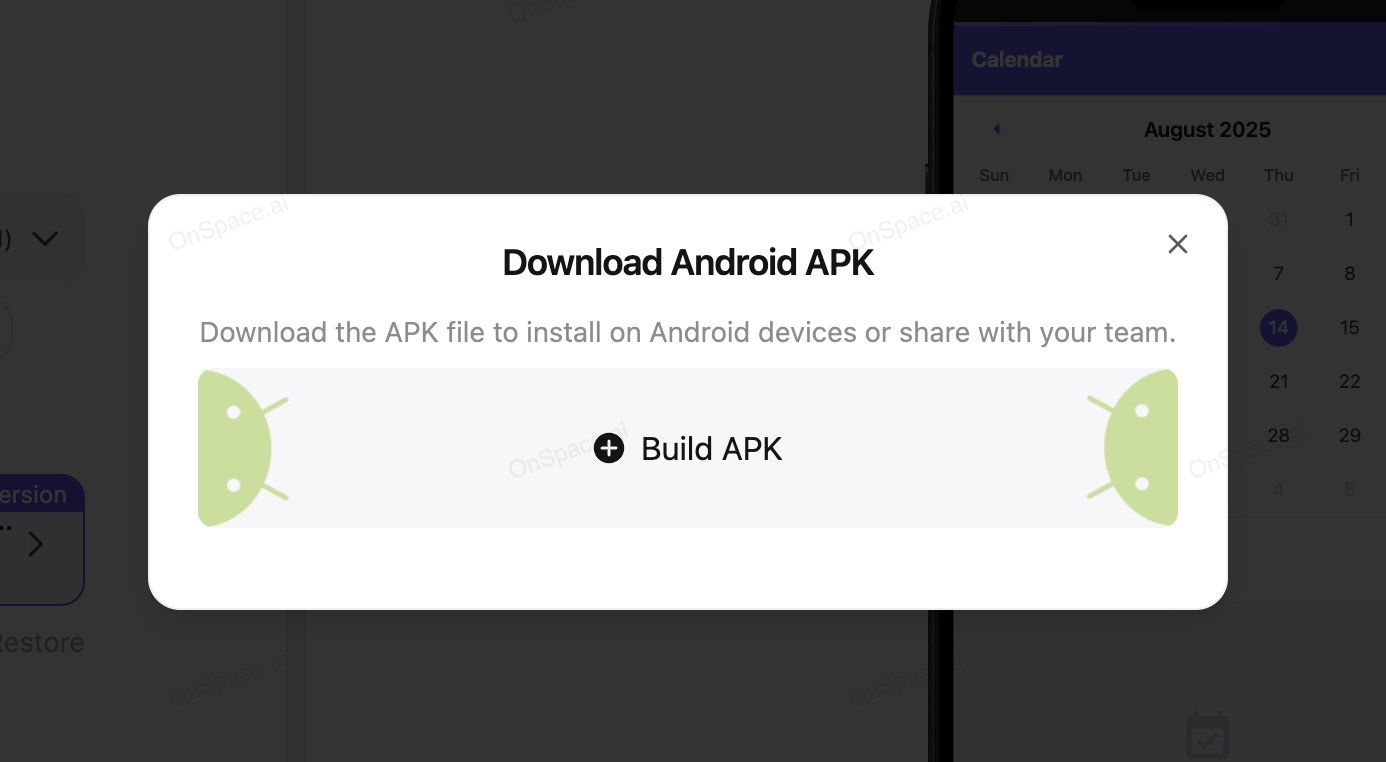
Click the **"Build APK"** button to start the process.
#### 2. Initialize APK Build
Click the **"Build APK"** button to start the process.
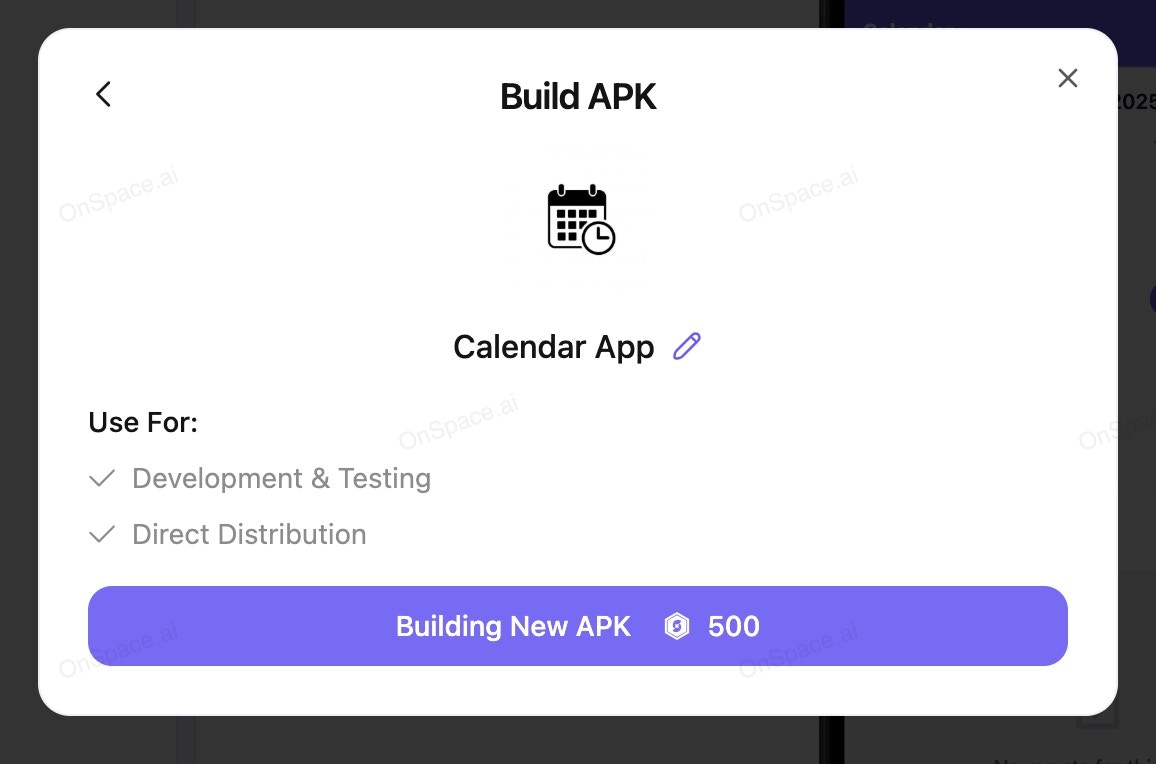
 #### 3. Customize Your App (Optional)
Want to make it uniquely yours?
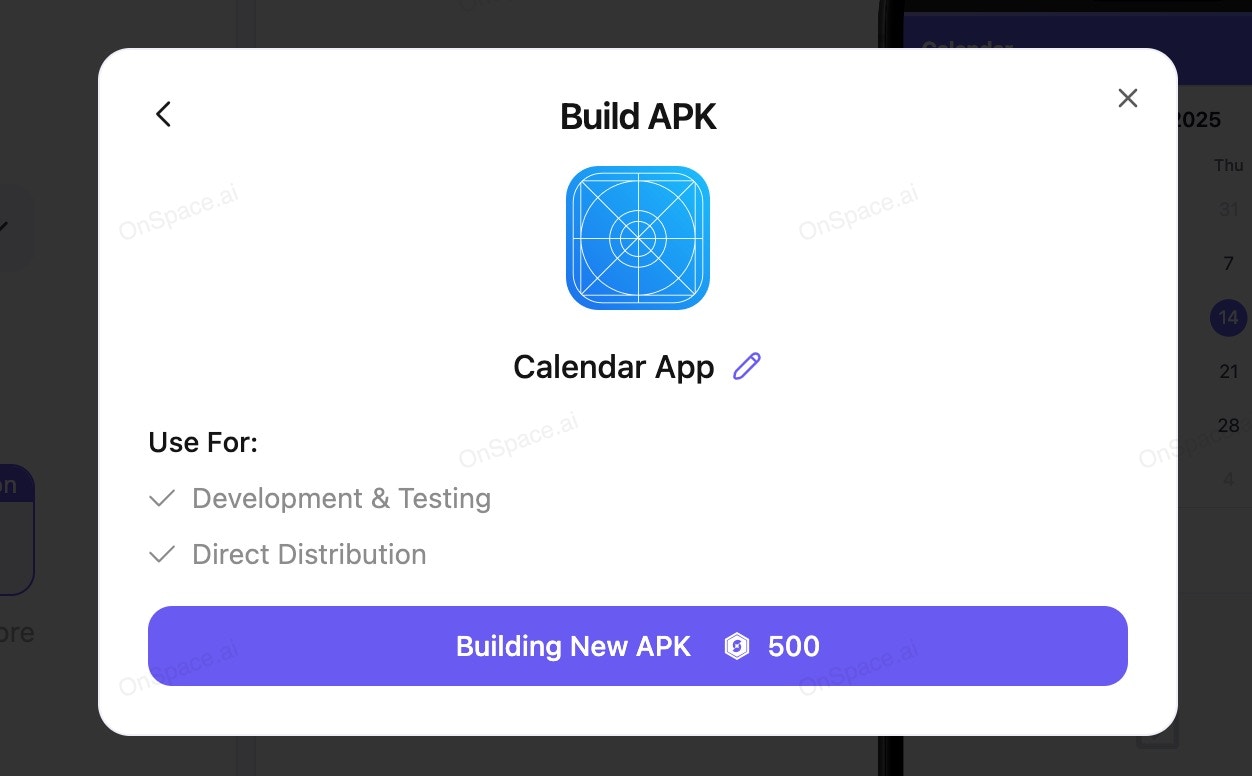
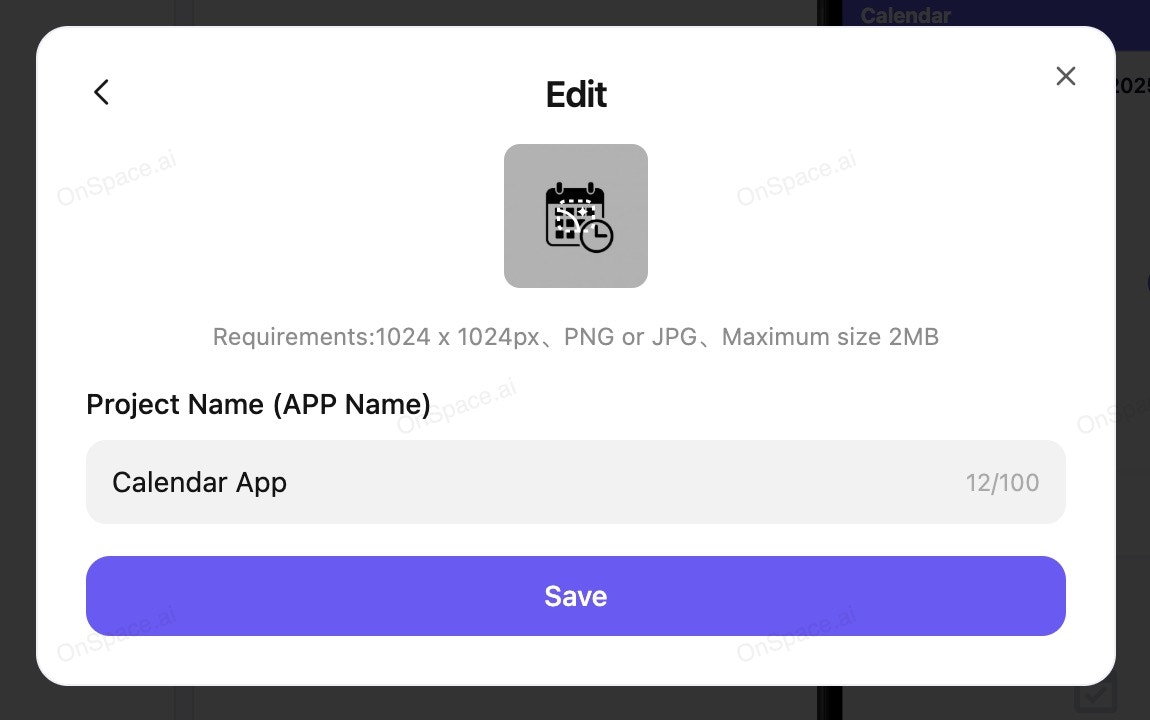
* Click **"Edit"** to access customization options
* Update your app's logo/icon
* Change the app name to something memorable
#### 3. Customize Your App (Optional)
Want to make it uniquely yours?
* Click **"Edit"** to access customization options
* Update your app's logo/icon
* Change the app name to something memorable
 #### 4. Generate Your APK
* After customizing (or if you prefer the defaults), click **"Build New APK"**
* **Build Cost:** 500 credits per APK
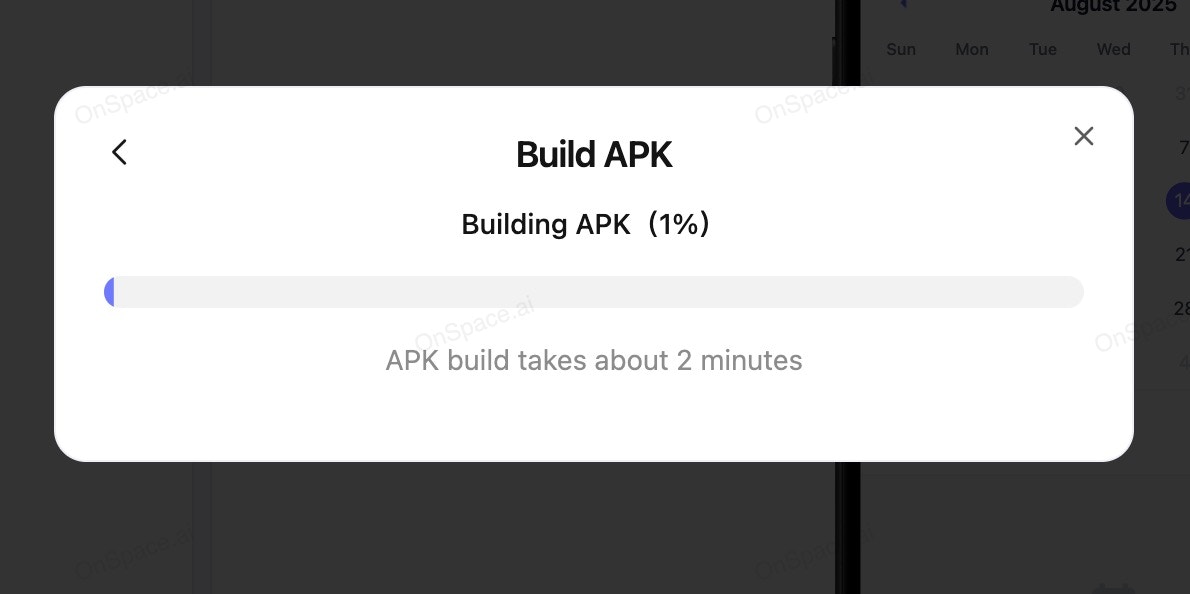
* **Processing Time:** \~2 minutes
#### 4. Generate Your APK
* After customizing (or if you prefer the defaults), click **"Build New APK"**
* **Build Cost:** 500 credits per APK
* **Processing Time:** \~2 minutes
 #### 5. Download & Share
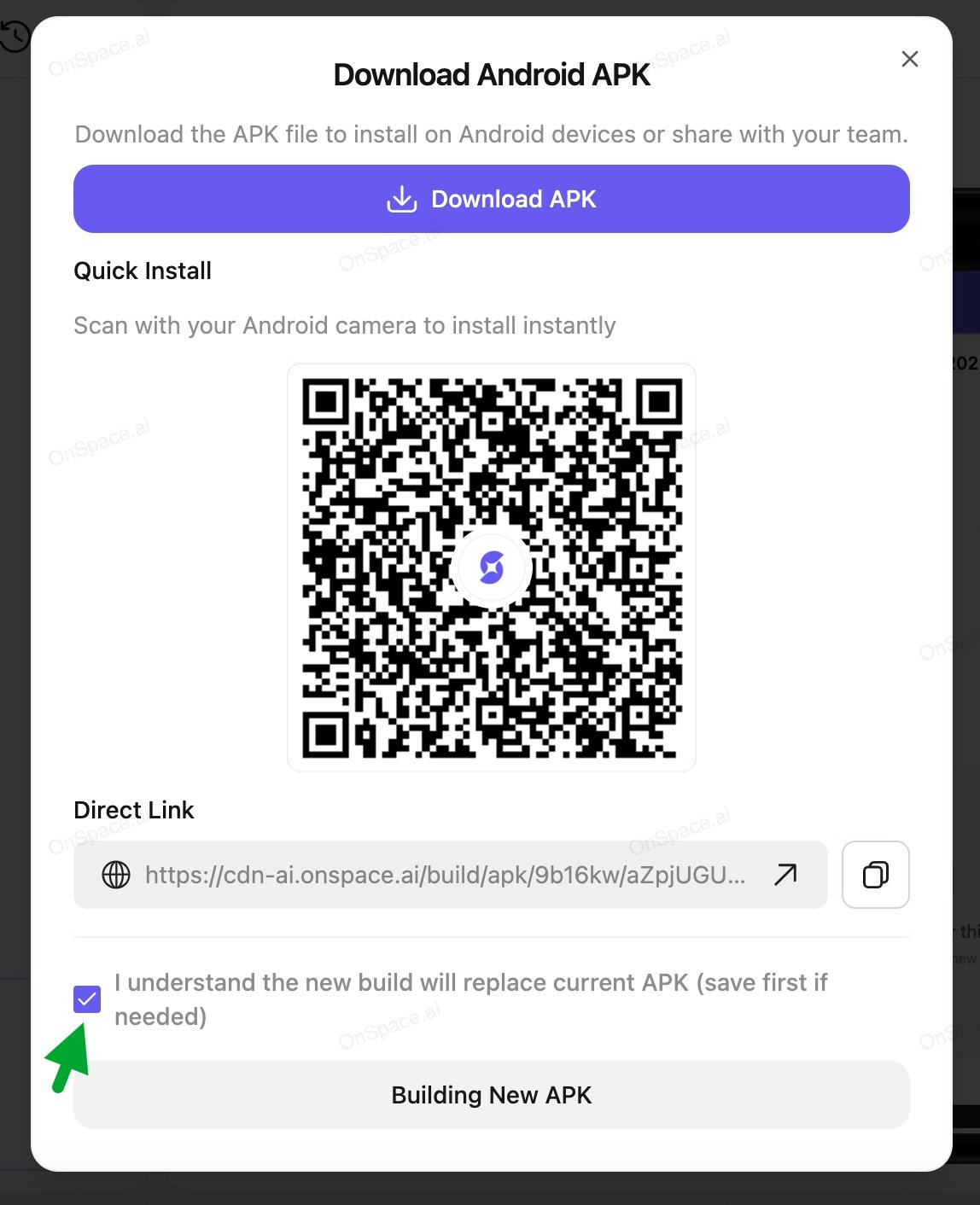
Once the build completes, hit **Download** to get your APK file ready for distribution.
#### 5. Download & Share
Once the build completes, hit **Download** to get your APK file ready for distribution.
 ### 🚨 Critical Reminder
**Version Management Alert**
Always download your current APK before building a new one! Each new build overwrites the previous version permanently.
**Best Practice:** Create a backup folder for your APK versions with clear naming like `MyApp_v1.0.apk`, `MyApp_v2.0.apk`, etc.
### Pro Tip
Test your APK on multiple Android devices before major distribution to ensure compatibility across different screen sizes and Android versions.
### 🚨 Critical Reminder
**Version Management Alert**
Always download your current APK before building a new one! Each new build overwrites the previous version permanently.
**Best Practice:** Create a backup folder for your APK versions with clear naming like `MyApp_v1.0.apk`, `MyApp_v2.0.apk`, etc.
### Pro Tip
Test your APK on multiple Android devices before major distribution to ensure compatibility across different screen sizes and Android versions.